
Panel beating customer portal software that turns one link into a decision.
Customers open their quote, invoice, or clearance letter in a browser with no login, accept or decline the work, and download a branded PDF, while your office sees exactly when they looked.
No credit card needed to start. Cancel any time.
Approvals come back sooner
Customers accept or decline from the link they were sent, so approved work can start instead of sitting behind a phone call.
Less resend admin
No accounts and no attachments going astray. The link always shows the latest version the workshop shared.
A record you can stand behind
View timestamps, captured decisions, and signed clearance leave a clean audit trail on every job.
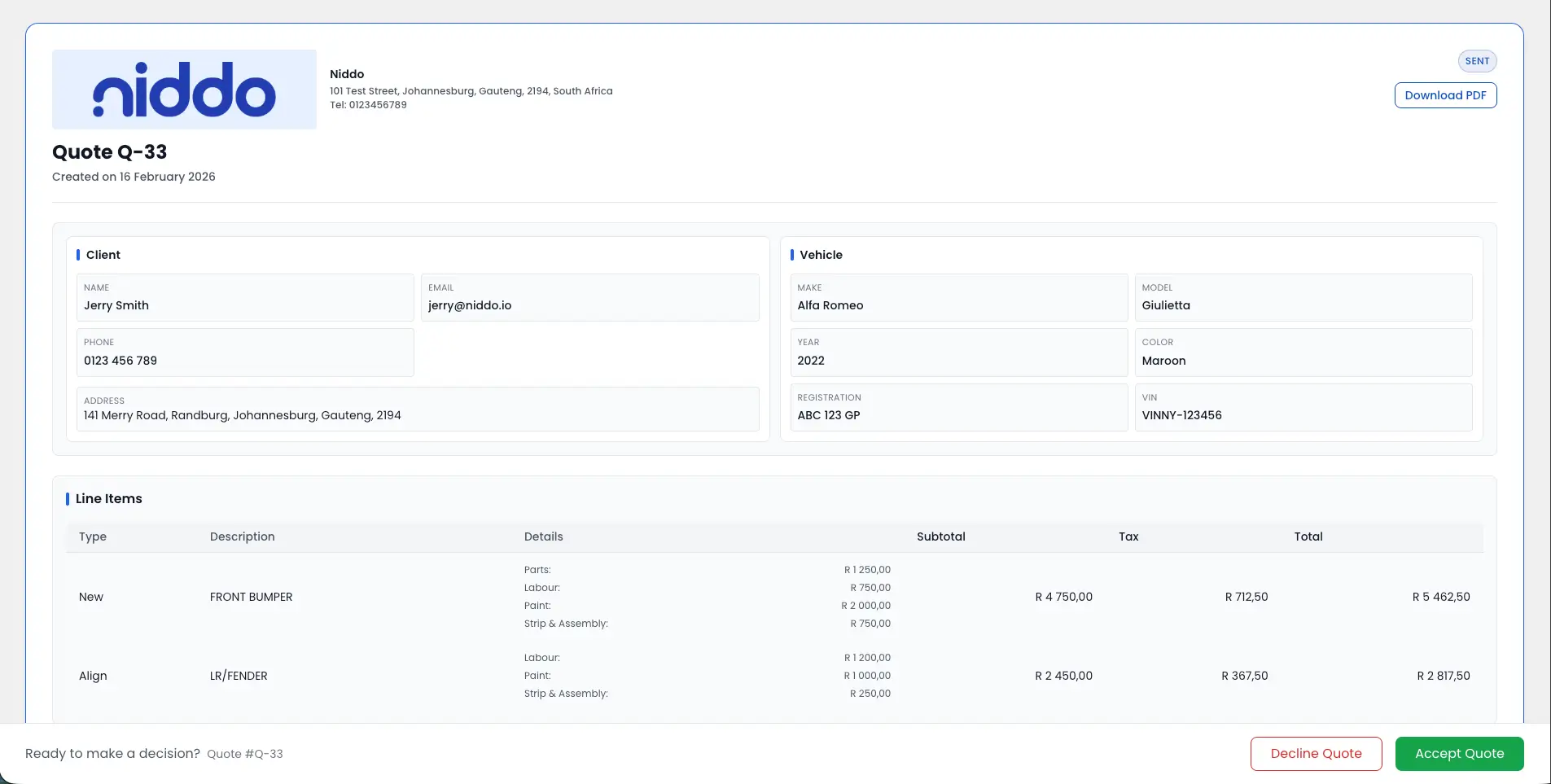
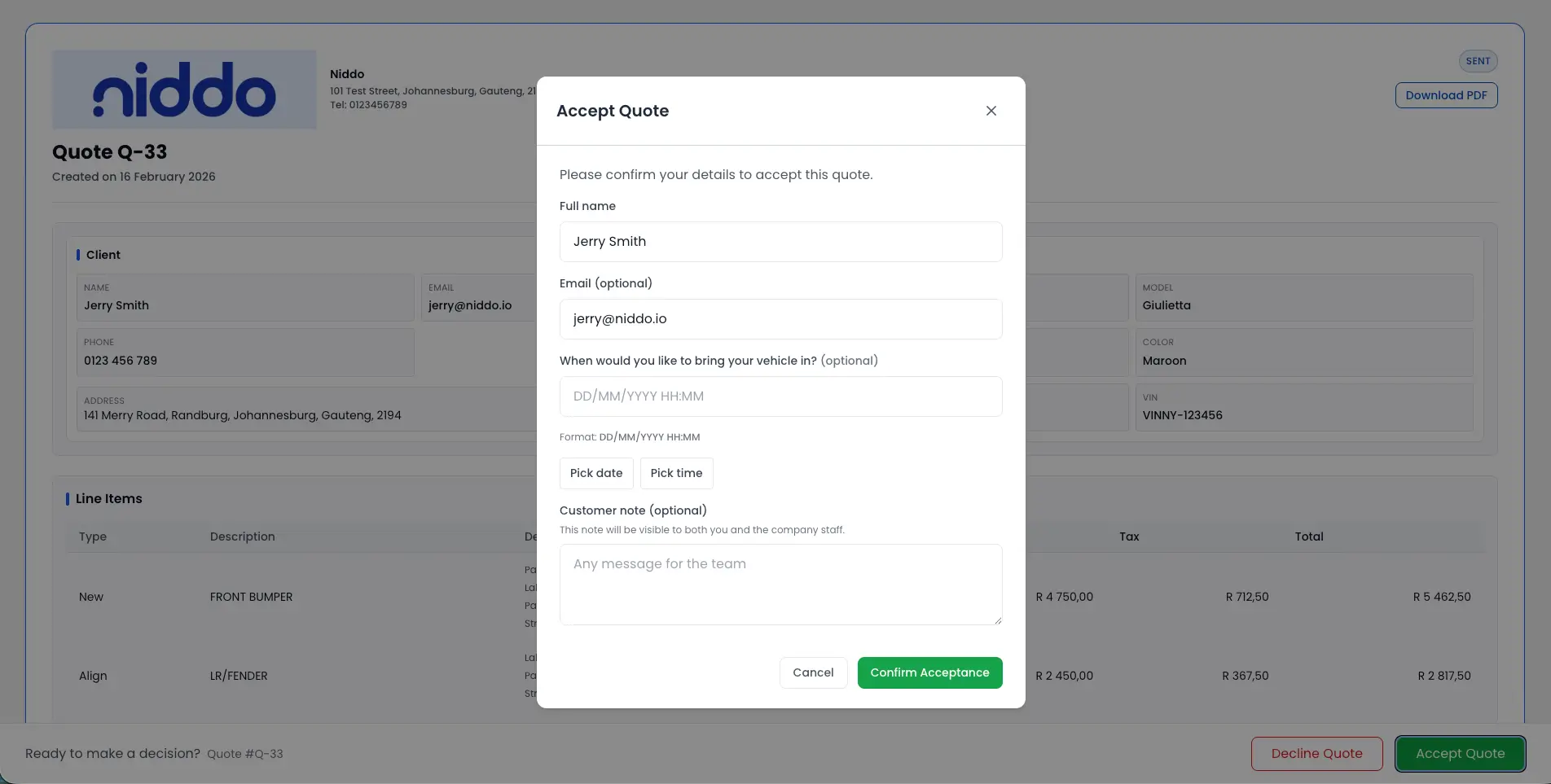
Accept or decline, straight from the link
The customer opens the quote in a browser, reads the breakdown and totals, and makes the call there and then. No account, no app.
- Accept or decline online directly from the secure link.
- Decline reasons captured when enabled in workflow settings.
- Always the latest quote version shared by the workshop.
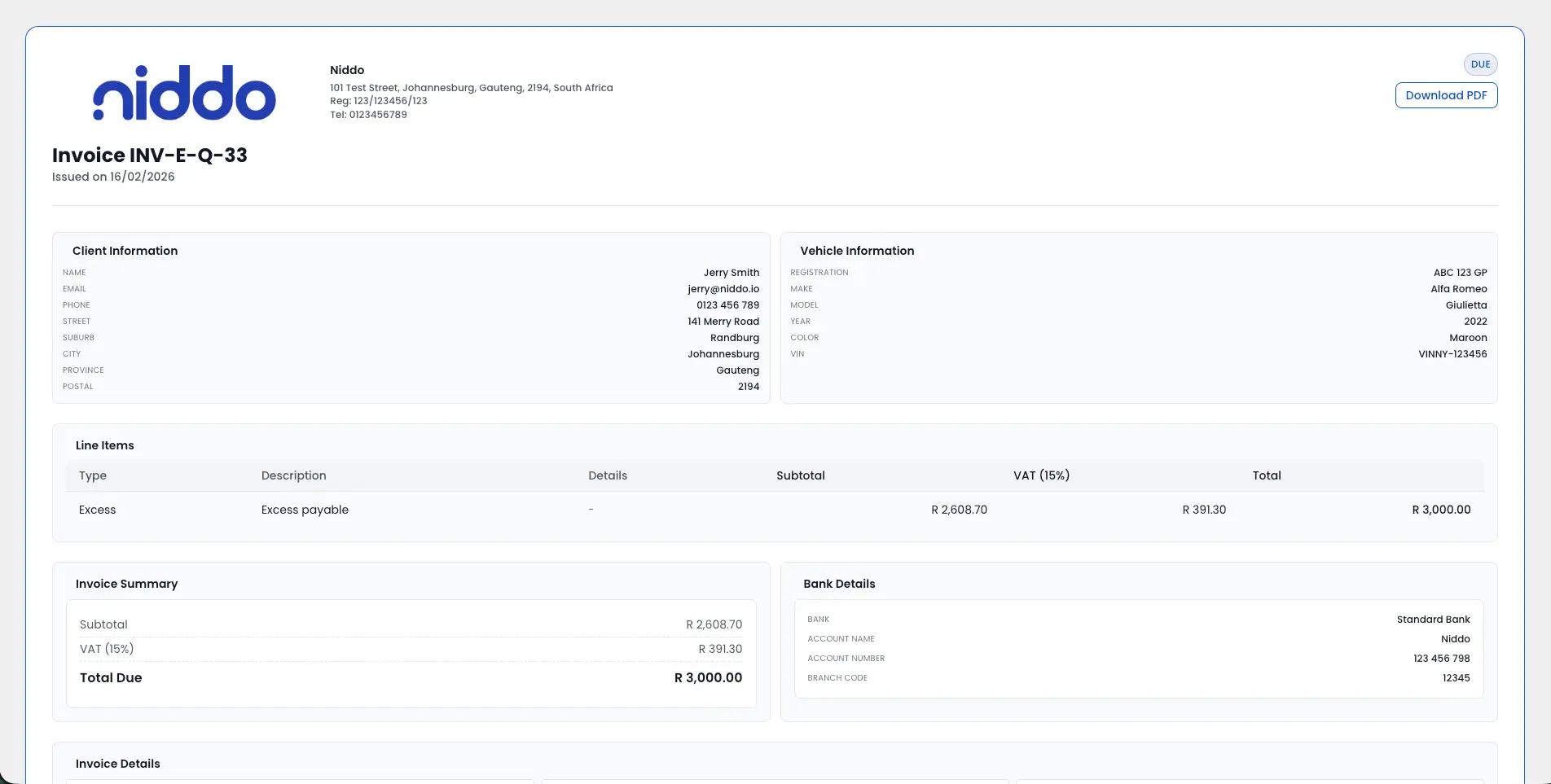
Invoices they can open without asking
Send the invoice as a secure link. The customer views it online, branded to your workshop, with the PDF a click away.
- Secure invoice viewing links with no account requirement.
- Branded quote and invoice PDFs to download.
- Fewer resend requests and less access friction.
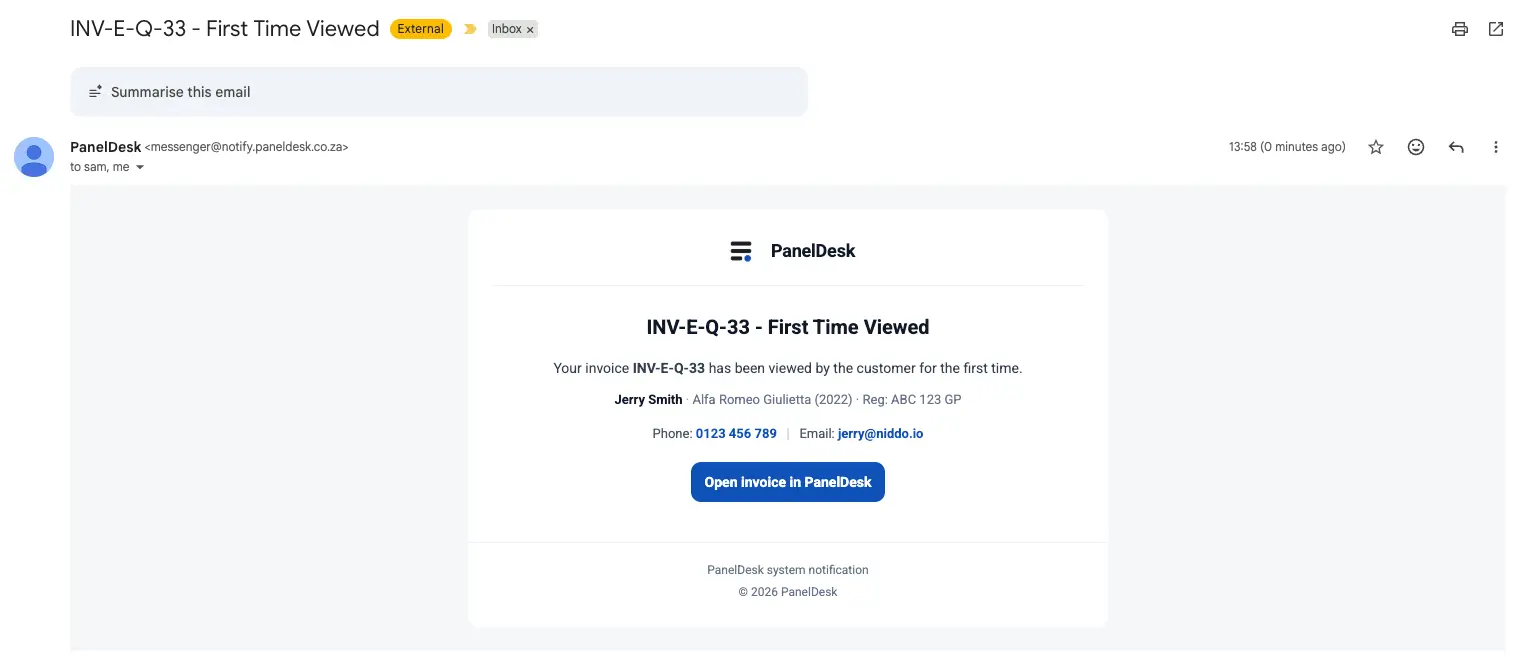
Know when they have looked
Every open on a quote or invoice link is recorded with a timestamp, so follow-ups land at the right moment instead of guessing.
- Records when a customer opens a quote or invoice.
- Timestamped visibility across customer documents.
- Follow up at the right time without pestering.
Clearance signed before handover
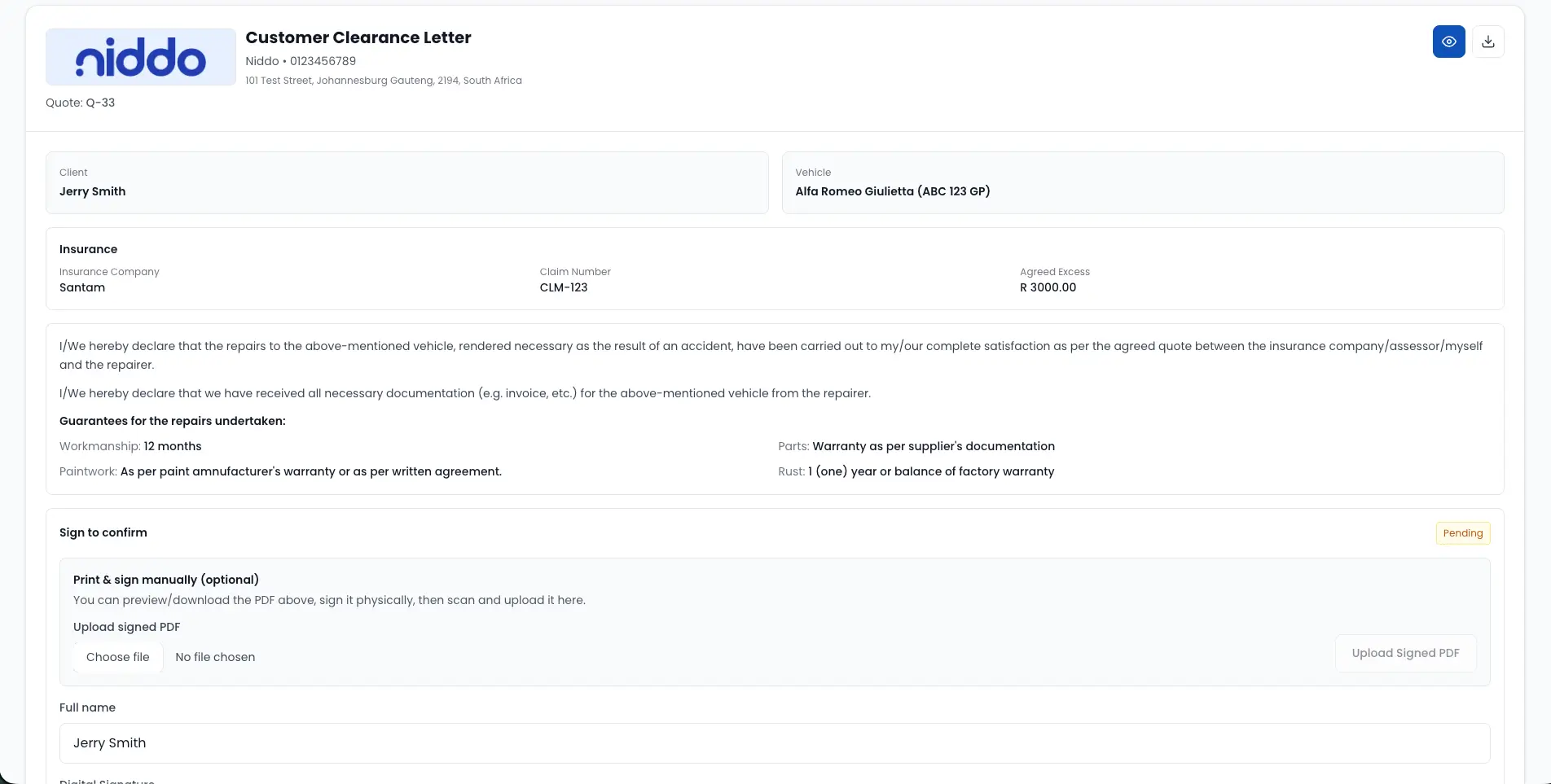
The clearance letter goes out as a link. The customer signs digitally or uploads a signed PDF, and the timestamp stays on the job.
- Customers open a clearance link sent by the workshop.
- Digital signing or signed PDF upload, whichever your process needs.
- Signature or upload captured with a timestamp.
How it runs
How secure links turn approvals into action
Share a secure portal link
Send a branded token-validated link so the customer can open the document immediately, without a login.
Customer reviews and acts
They view the latest quote or invoice, then accept or decline and complete any required approval action.
Portal captures document signals
View timestamps and customer actions are recorded so your team follows up at the right moment.
Complete documentation and handover
PDF downloads and digital clearance signing keep the final record complete, professional, and auditable.
In detail
Panel Beating Customer Portal Software capabilities
Secure link access
- Send customers a public link to view their documents online.
- Protect access with validation tokens for secure login-free access.
- Keep the experience branded to the workshop identity.
- Keep access simple with no account requirement.
- A more professional customer experience without extra effort.
Quotes and approvals
- Let customers view quotes online with clear totals and breakdowns.
- Ensure customers always see the latest quote version shared by the workshop.
- Reduce confusion caused by multiple PDFs being sent back and forth.
- Allow customers to accept quotes online directly from the secure link.
- Allow customers to decline quotes online through the same flow.
- Optionally capture a decline reason when enabled in workflow settings.
- Faster approvals so jobs can start sooner.
Invoices and PDFs
- Give customers secure invoice viewing links.
- Reduce resend requests and invoice access friction.
- Allow customers to download branded quote and invoice PDFs.
- Support workflow-based access to clearance, final costing, and WIP PDFs where applicable.
- Keep document output consistent and professional across every interaction.
- Fewer resend requests and less admin time.
Tracking customer views
- Record when customers open and view quote or invoice documents.
- Use view signals to follow up at the right time without pestering.
- Improve response timing with timestamped visibility.
- Proof of document delivery through view tracking.
Clearance and sign-off
- Let customers open a clearance link sent by the workshop.
- Support digital signing or signed PDF upload, based on process requirements.
- Capture the signature or upload with a timestamp for auditable record-keeping.
- Cleaner audit trail for approvals and clearance.
Walkthrough
See it in action
FAQ
Public Customer Portal FAQs
The questions panel shops ask most often about this part of PanelDesk.
No. Customers use a secure link protected by a validation token, so they do not need a login.
Yes. Customers can accept or decline directly from the quote link.
Yes. Customers can view invoices online through a secure link.
Yes. Customers can download professional PDFs for quotes and invoices, and other documents where workflow requirements apply.
Access is protected by token validation so only someone with the unique link can view the document.
Yes. Customers can sign digitally or upload a signed document, and the system records a timestamp.
Yes. The system tracks when a quote or invoice link is opened so the workshop can follow up appropriately.
Send your next quote as a link
Thirty days free, no credit card, and your customer can accept it from their phone.