
Panel beating invoicing software that shows you who has paid.
Bill the job you have just finished or raise a standalone invoice, send it as a secure link by email or WhatsApp, record the payment, and keep every invoice tied to the customer and the vehicle.
No credit card needed to start. Cancel any time.
Nothing gets rebuilt
Invoices come off the job card with the scope and final costing carried across, so no one retypes the work.
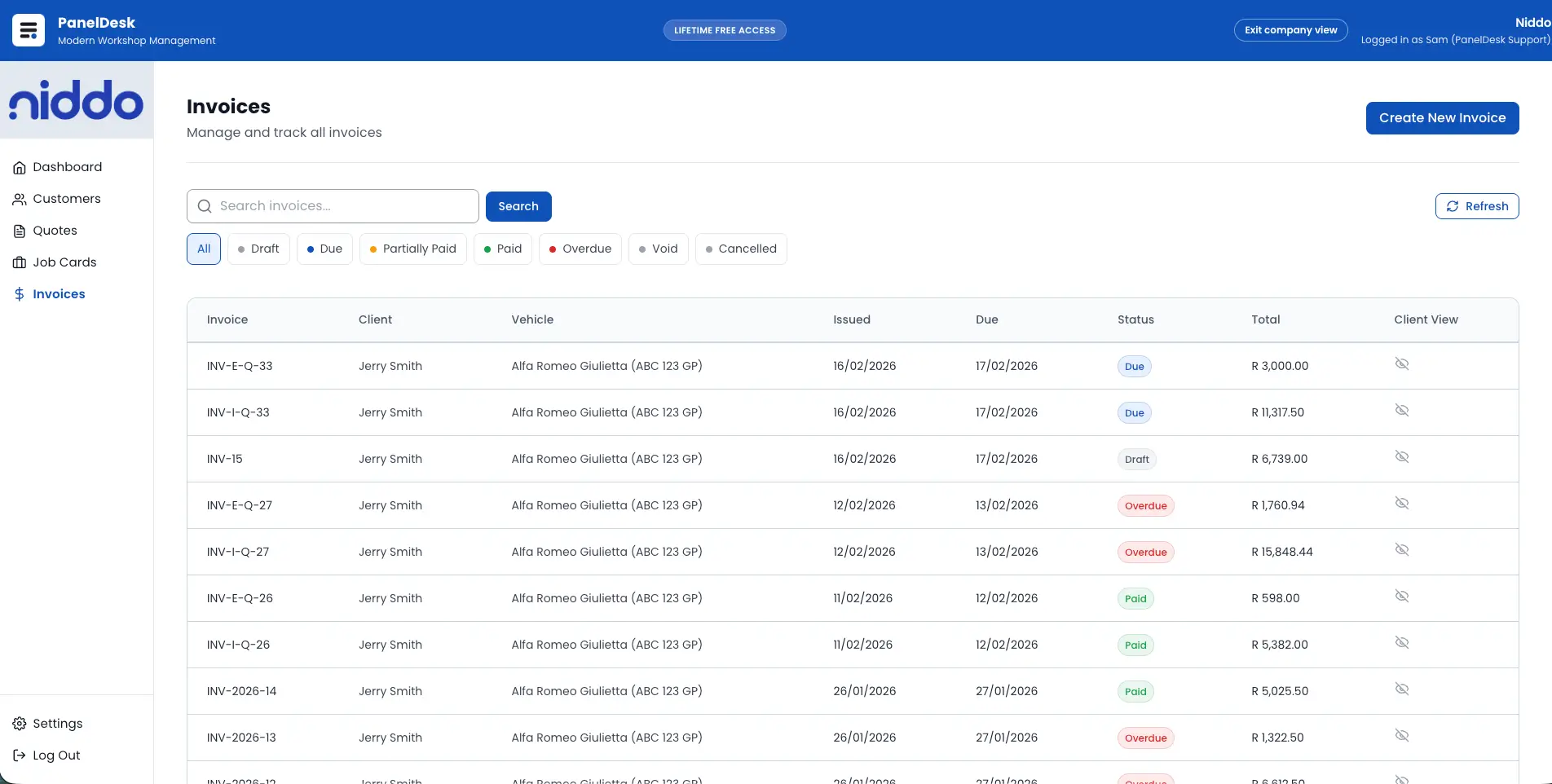
One list, whole picture
Search and filter every invoice by status, date, and customer, with unpaid, paid, and outstanding visible to the team.
Follow up on facts
You see when the customer opened the invoice, so the payment call is timed instead of guessed.
Bill straight off the job
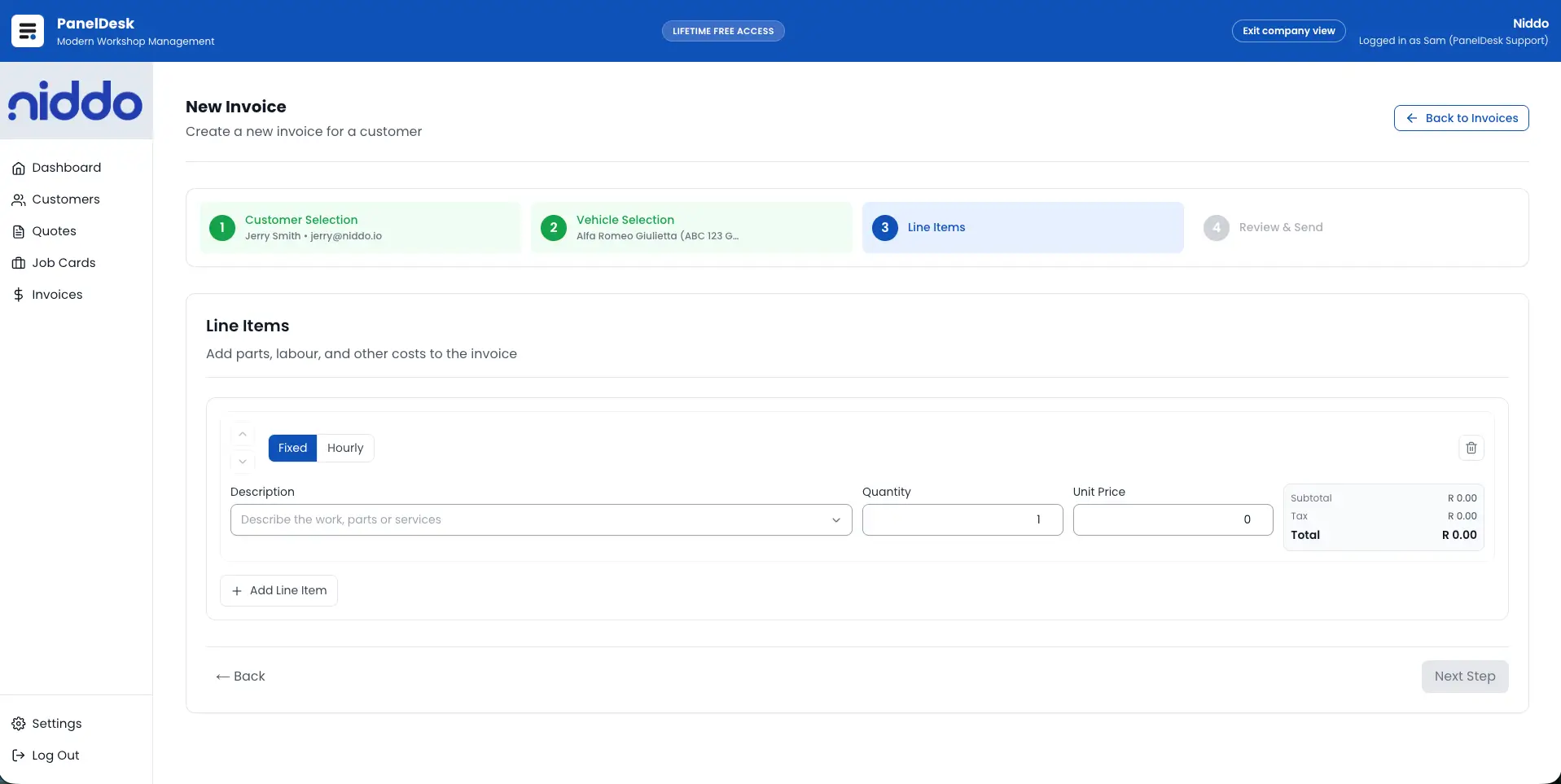
Create the invoice from the job card so scope and final costing carry through, or raise a standalone invoice when the billing sits outside a job.
- Job-linked or standalone invoices in the same workflow.
- Line items with description, quantity, unit price, and VAT.
- Edit details and totals within your workflow and approval rules.
Send a link, not an attachment
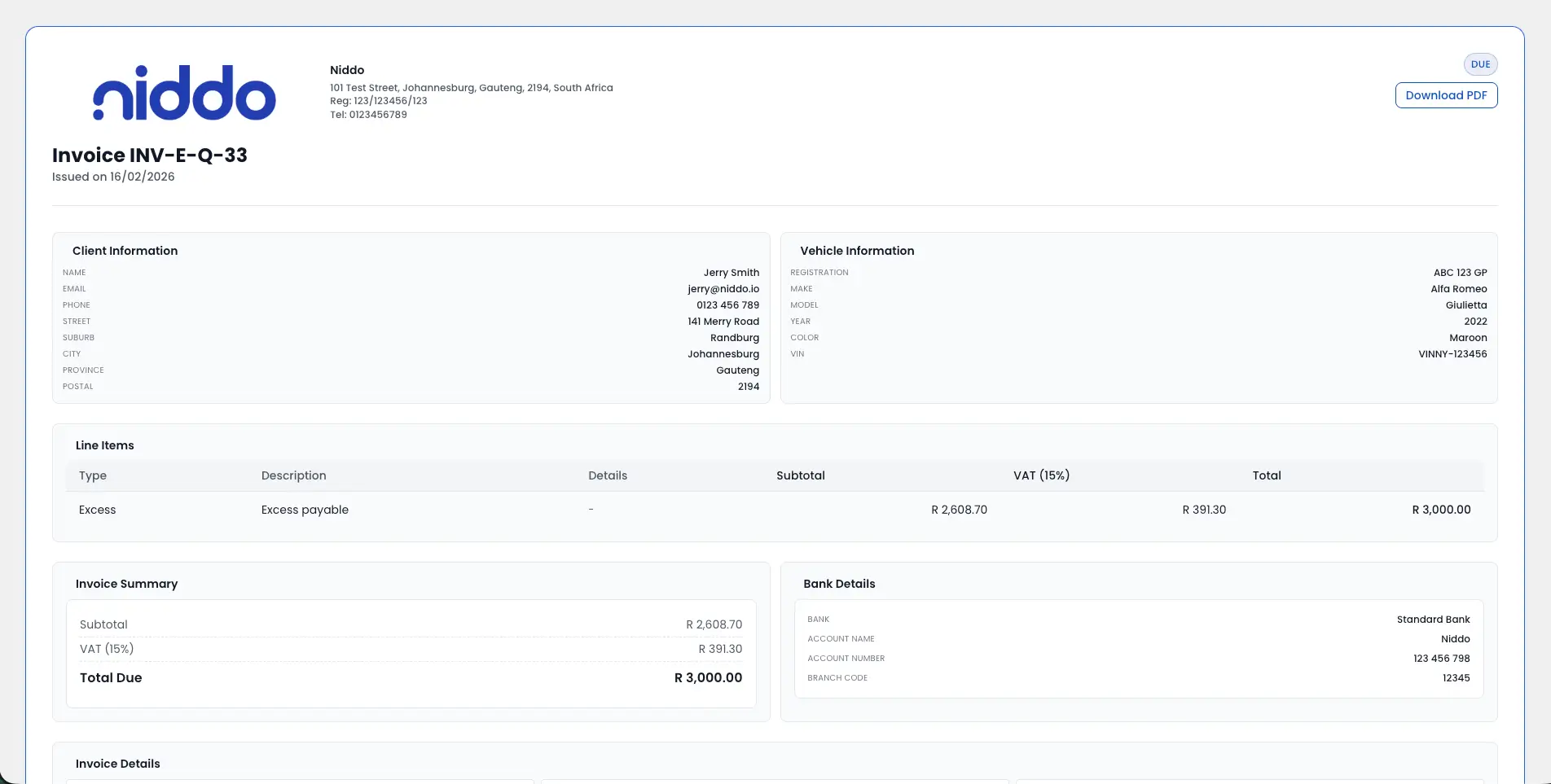
Invoices go out as a branded, token-protected link the customer opens without an account, by email or WhatsApp, with saved supporting documents attached when you need them.
- Secure public invoice link, no customer login required.
- WhatsApp templates fill in customer, vehicle, and invoice details.
- Attach saved supporting documents to the invoice email.
Know when they have looked
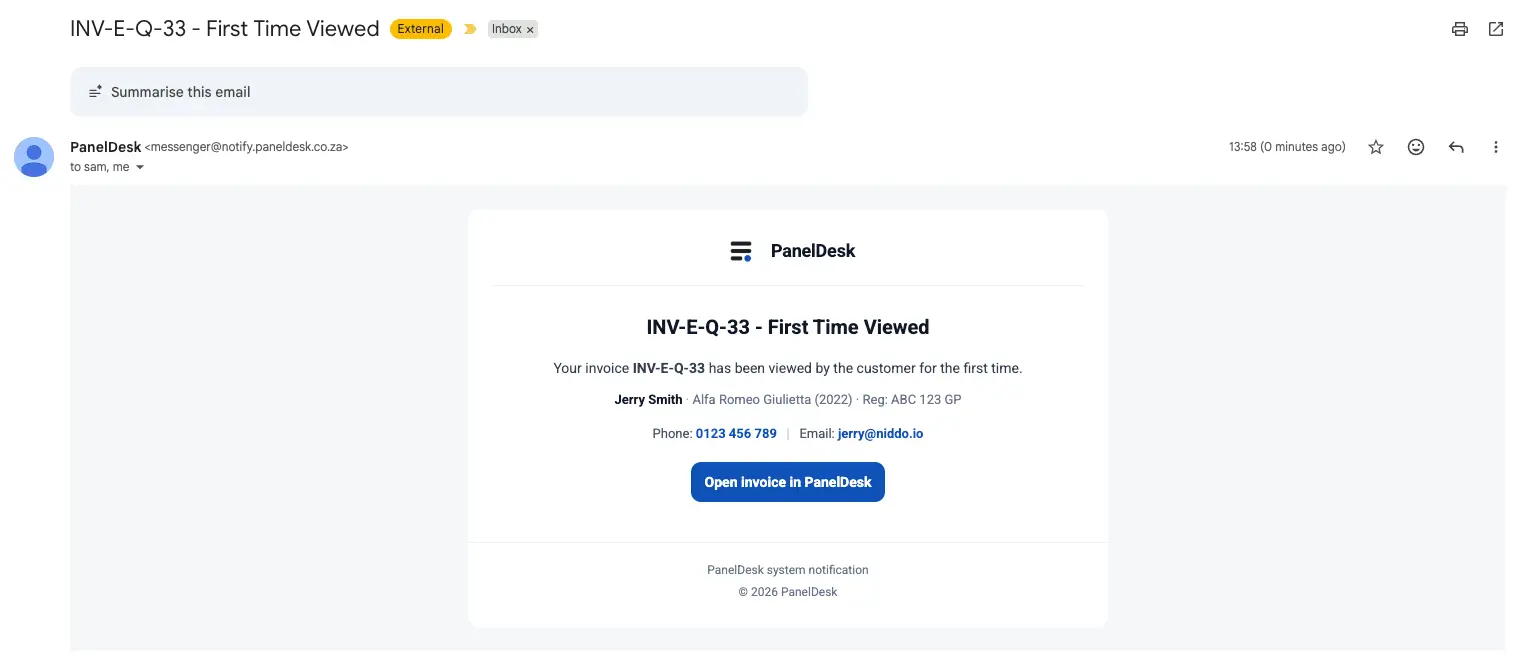
PanelDesk tells you the first time a customer opens the invoice, so follow-up lands while it is still in front of them.
- Track when customers open and view invoices through secure links.
- Timestamped engagement instead of guessing.
- Time payment follow-up on real signals.
Paid or outstanding, no spreadsheet
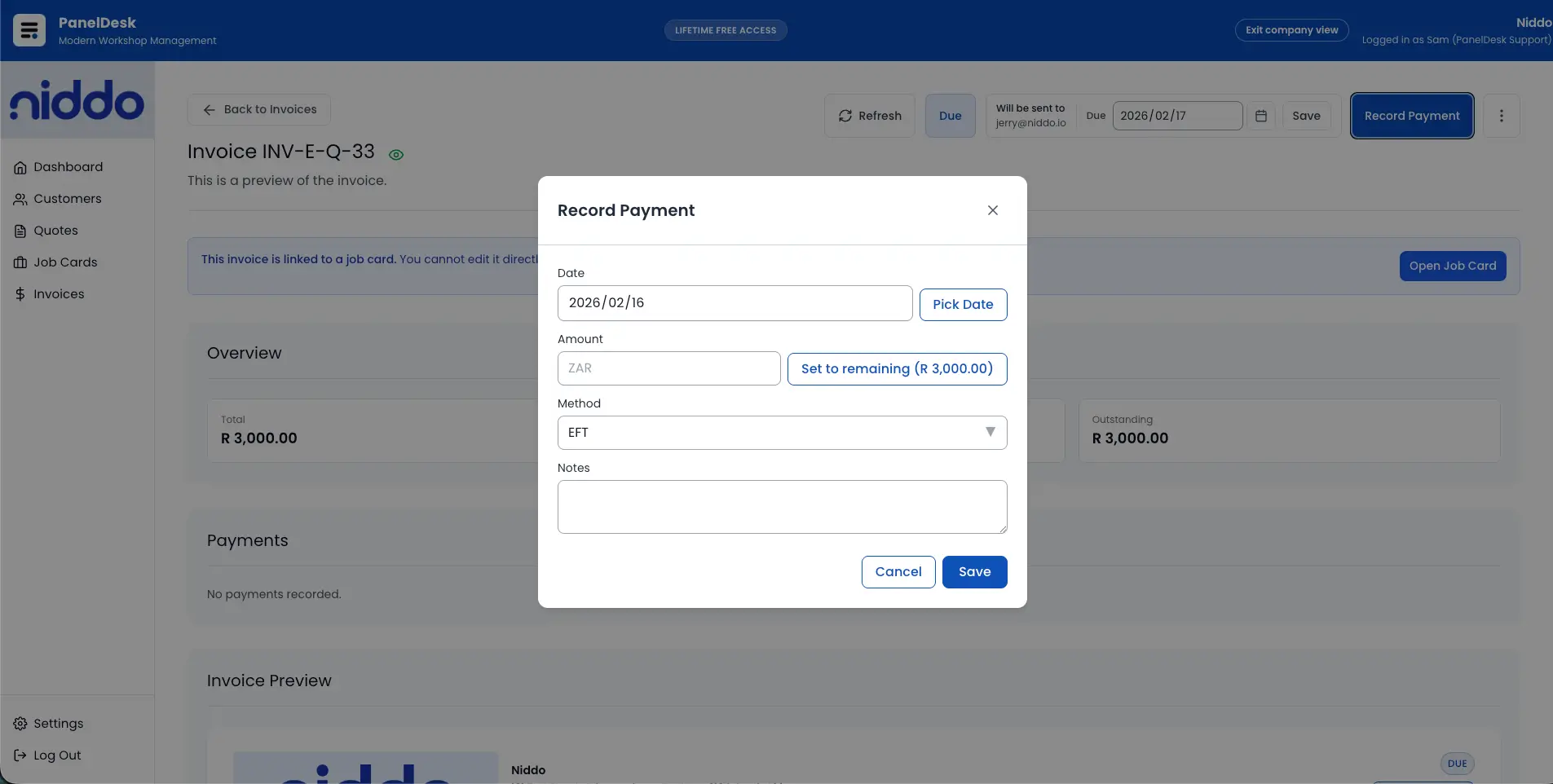
Record payments against the invoice as they come in and the status stays correct, so total and outstanding are always current.
- Record invoice payments inside the system.
- Invoice states stay marked as paid or outstanding.
- Cashflow visibility from accurate payment status.
How it runs
From job card to payment visibility
Create from the right source
Invoice from the job card when workflow accuracy matters, or standalone when billing needs to be flexible.
Manage and send confidently
Edit line items and totals, attach saved supporting documents, and send a secure branded invoice link.
Track engagement and payments
Watch invoice status and customer view signals, then record payments to keep paid and outstanding current.
Keep the history connected
Every invoice stays linked to customer and vehicle context, with source-aware querying for reporting.
In detail
Panel Beating Invoicing Software capabilities
Raising the invoice
- Create invoices as standalone invoices or invoices linked to a job card.
- Generate invoices directly from the job workflow to reduce re-capture.
- Keep invoices aligned with job scope and final costing outputs.
- Edit invoice details within your workflow and approval rules.
- Maintain accurate totals and line items when changes occur.
- Manage invoice lifecycle actions inside one invoicing workflow.
Invoice records and search
- Use a dedicated invoice list view for day-to-day billing control.
- Search, filter, and organise invoices by status, date, customer, and related fields.
- Find the right invoice quickly without manual spreadsheet tracking.
- Query invoices by source, including job-linked versus standalone.
- Keep every invoice linked to the customer and vehicle record for full history.
Sending and sharing
- Attach saved supporting documents already stored in PanelDesk when sending the invoice email.
- Generate branded public invoice viewing links for customers.
- Let customers view invoices without a login for a simple experience.
- Share invoices over WhatsApp with reusable message templates that fill in customer, vehicle, and invoice details plus the secure link.
- Generate a branded Invoice PDF directly from the invoice record.
- Download and share PDF invoices when required for accounting or insurers.
- Keep invoice formatting consistent across staff and across jobs.
Status and view tracking
- Track invoice status so you always know what stage each invoice is in.
- Improve operational follow-up by making status visible to the whole team.
- Track when customers open and view invoices through secure links.
- Use invoice view signals to follow up at the right time instead of guessing.
- Create better payment follow-up workflows with timestamped engagement visibility.
Payments and cashflow
- Record invoice payments inside the system.
- Keep invoice states marked correctly as paid or outstanding.
- Maintain a clear pipeline of unpaid, paid, and outstanding invoices.
- Improve cashflow visibility with accurate payment status tracking.
Access and secure links
- Protect public access with validation tokens for secure delivery.
- Protect staff invoicing actions behind authenticated system access.
- Restrict certain user roles from invoice creation, viewing and editing for internal control.
- Keep public invoice views token-validated for intended recipients only.
- Balance secure internal control with low-friction customer access.
Walkthrough
See it in action
FAQ
Invoice Management Software for Panel Shops FAQs
The questions panel shops ask most often about this part of PanelDesk.
Yes. PanelDesk supports creating invoices from job cards so you do not have to rebuild the invoice manually.
Yes. PanelDesk supports standalone invoices for work that is not tied to a job card workflow.
Yes. Invoice view tracking shows when the invoice link is opened so you can follow up at the right time.
No. Customers can view invoices through a secure link that is protected by a validation token.
Yes. When sending an invoice from PanelDesk, you can choose supporting documents that are already saved in the system and include them in the email.
Yes. PanelDesk generates a branded Invoice PDF when you need it.
Yes. You can record payments so you can clearly track paid versus outstanding invoices.
Invoices are linked to the customer and vehicle records so you always have a complete history.
Yes. Reusable WhatsApp message templates fill in customer, vehicle, and invoice details plus the secure link, then WhatsApp opens with the message pre-filled and ready to send. You can also copy the message to use anywhere else.
Next in the workflow
Invoice your next job in PanelDesk
Thirty days free, no credit card, and every invoice tracked from sent to paid.