
Production board software for panel shops so you know where every car is.
Every live job sits under your own production stages, with who is working on it and the time it should take. The date you promised the customer and the workshop target behind it go on a schedule that warns you before either one slips.
No credit card needed to start. Cancel any time.
One shared picture
The whole team can see what is in the shop and where it stands, without walking the floor or asking around.
Promises stop living in one head
The client-ready date and the internal workshop target sit on the job, visible to everyone who needs them.
Late jobs surface early
The job schedule flags due-soon and overdue work in colour, so you can re-prioritise while there is still time to fix it.
Every job on one board
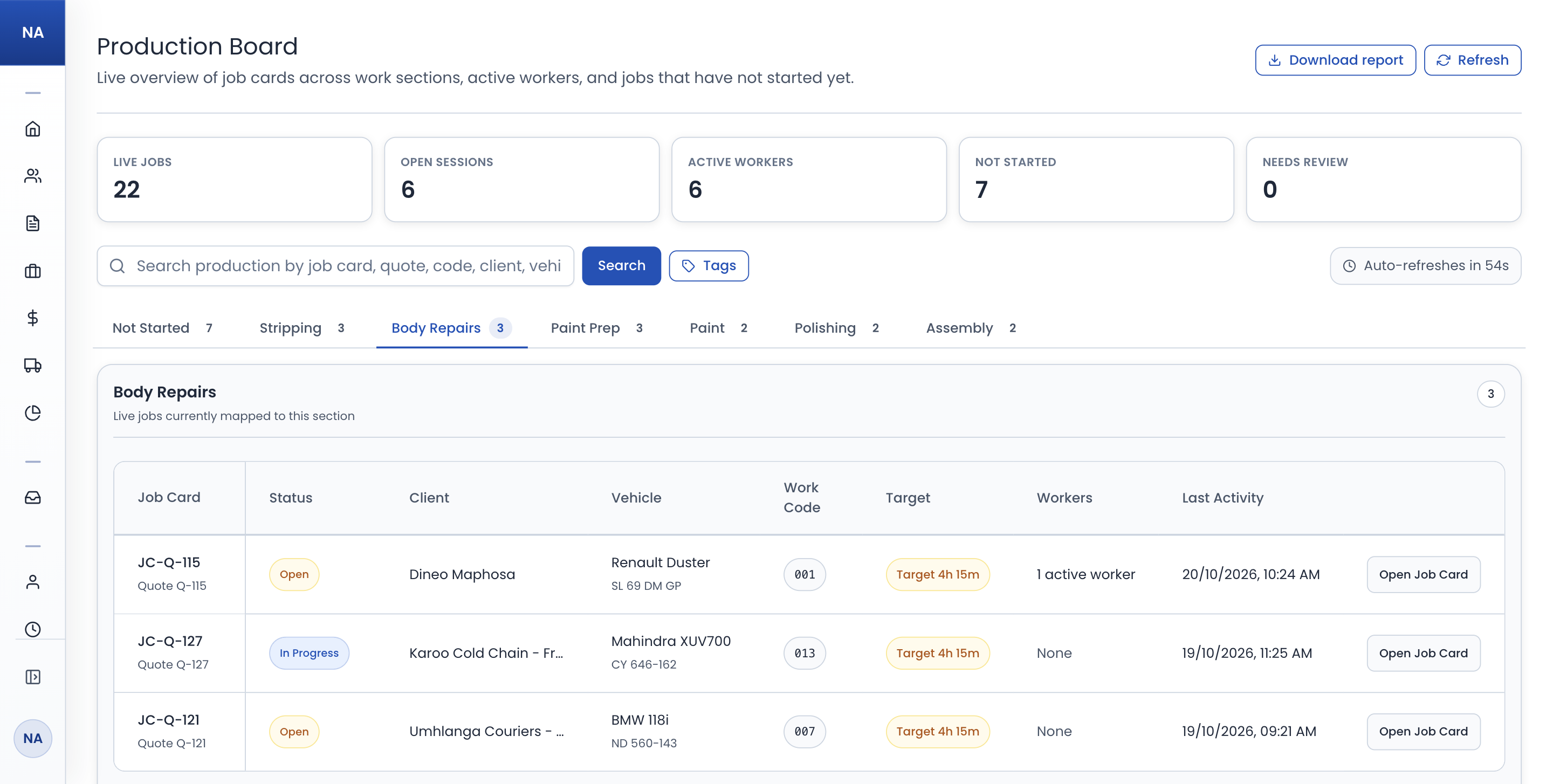
Each production stage gets its own tab listing the live jobs in it, with status, client, vehicle, time target, who is working on it, and when it was last worked on.
- A tab per stage, plus Not Started for jobs nobody has begun.
- Open a row to see who is clocked onto the job, and for how long.
- Refreshes every minute, and downloads as a PDF report.
Stages that match your floor
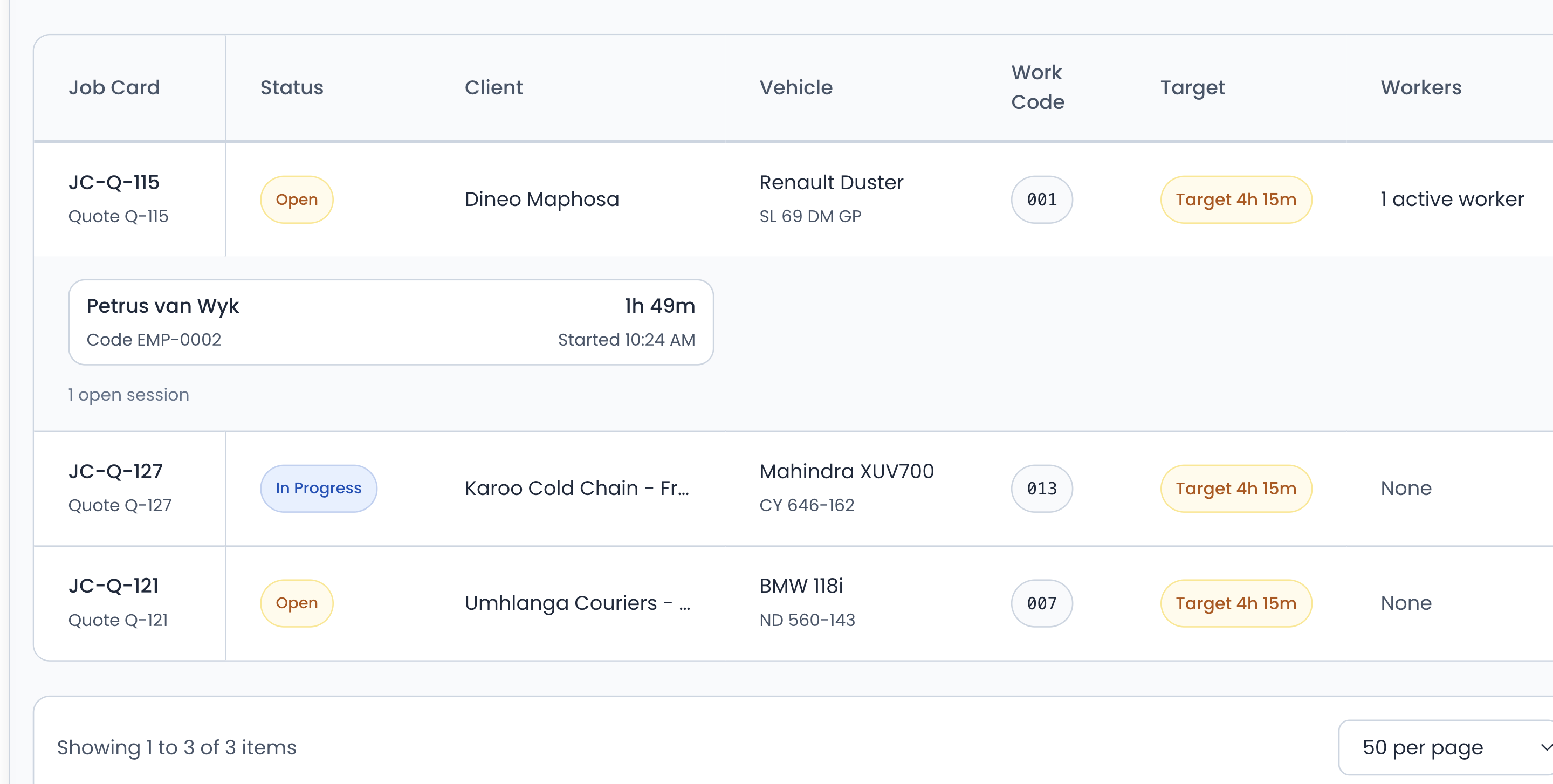
Define your own production stages instead of forcing your process into someone else's fixed workflow.
- Strip & assemble, panel, paint, polish, quality check, your call.
- Rename and reorder stages to mirror how you actually work.
- The same stages on the board, at the kiosk, and on each job card.
Promised dates against workshop targets
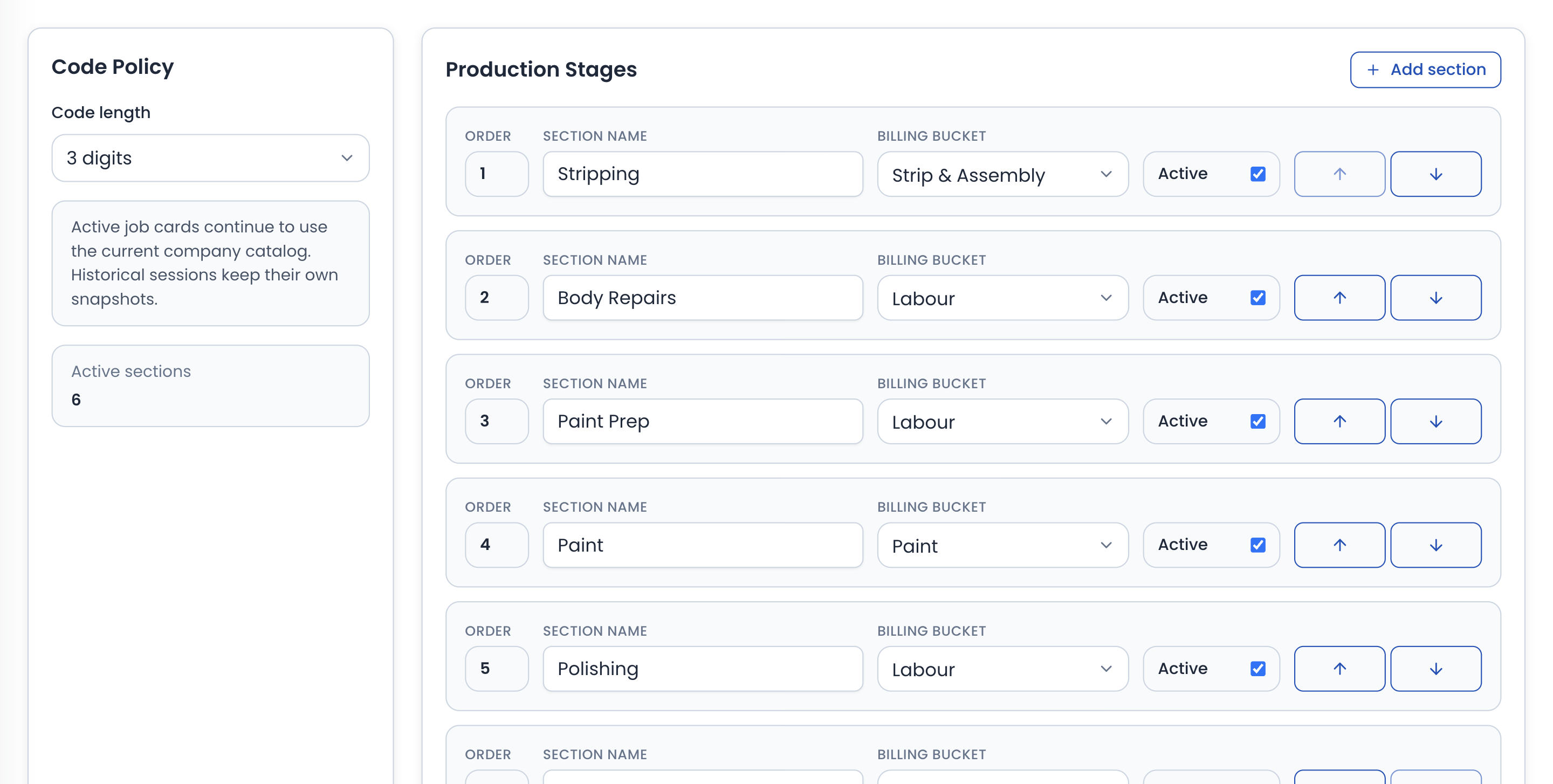
Each job carries the client-ready date you gave the customer and an internal workshop target, with a configurable gap so the floor finishes before the promise falls due.
- Two dates per job: the customer promise and the internal target.
- Type one date and the other follows, counted in working days.
- Set them when a quote converts to a job card, or add them later.
Warnings before a promise slips
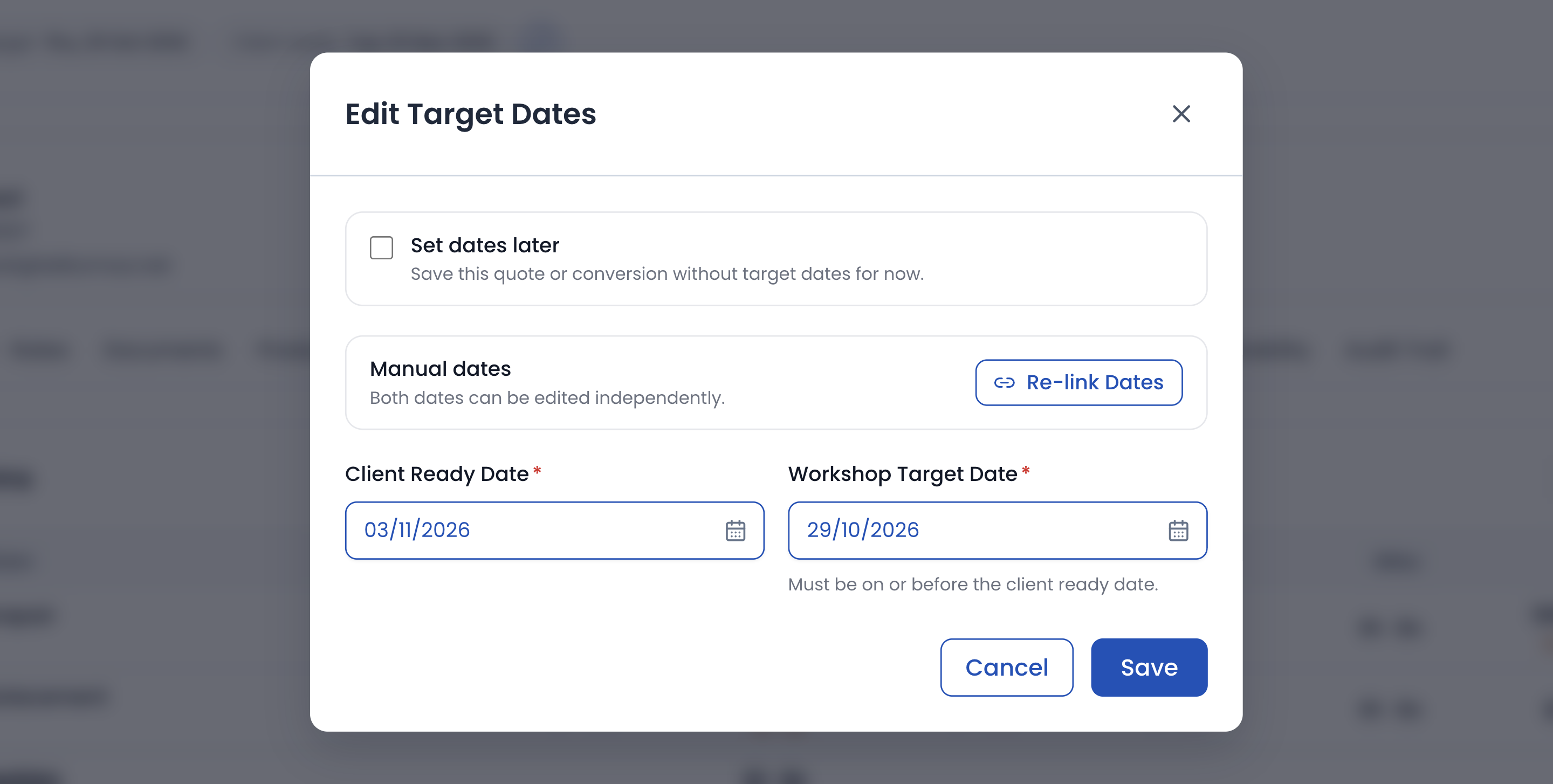
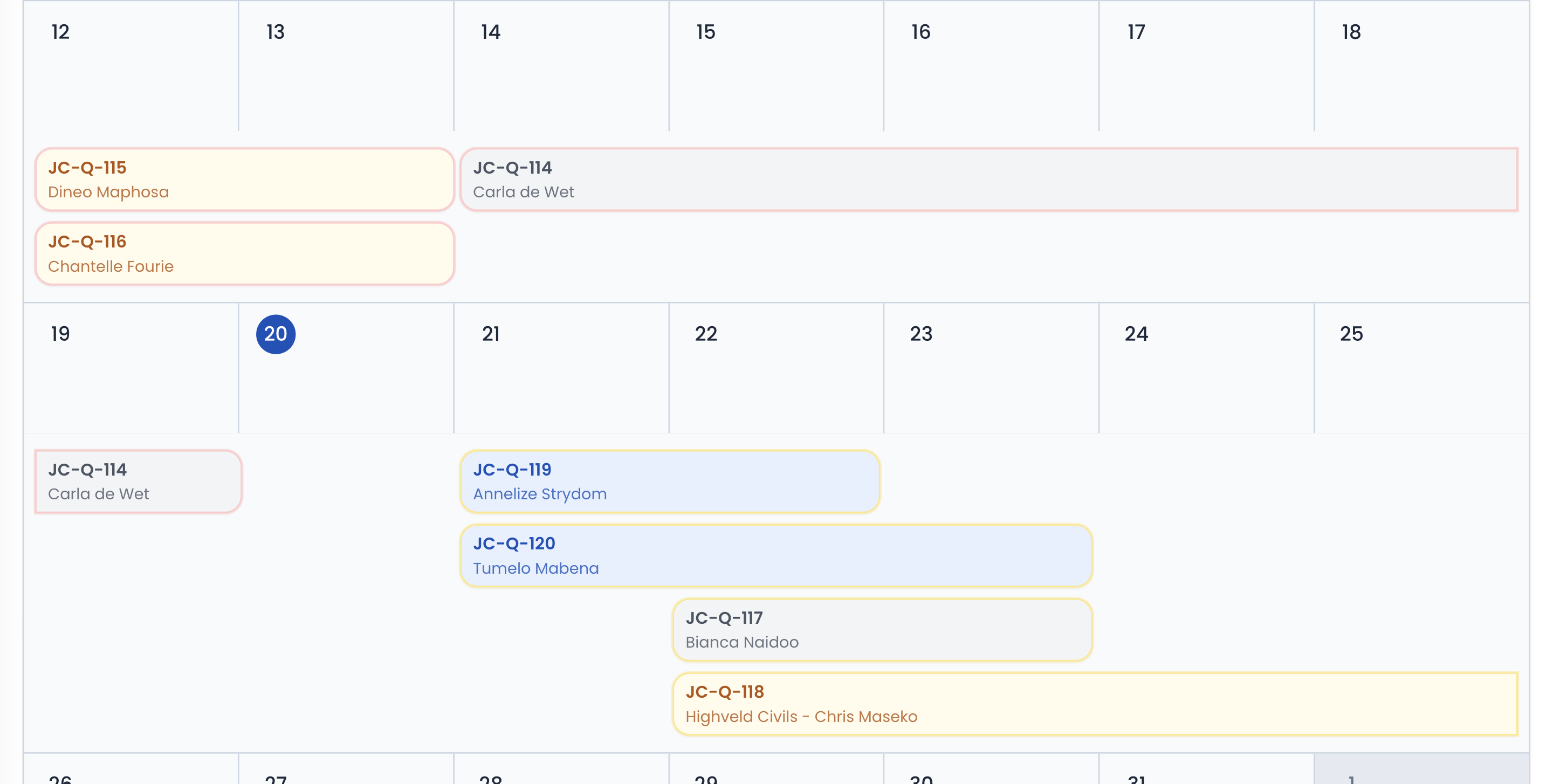
The job schedule runs each job as a bar from its workshop target to its client-ready date, outlined in amber as the target nears and red once it has passed.
- Counts of jobs overdue, due today, and due this week.
- A warning window set in days, to the notice your team needs.
- Jobs without dates listed as unscheduled until someone sets them.
How it runs
How production planning stays ahead of promises
Define your production stages
Set up the stages your floor actually uses and the order vehicles move through them.
Set dates when work is approved
Capture the promised client-ready date and the internal workshop target as a quote converts, or add them later.
Track jobs across the board
Staff book onto a job at the kiosk or on the job card, and the job moves to that stage on the board for everyone to see.
Act on warnings before promises slip
Use the job schedule's due-soon and overdue flags to re-prioritise work while there is still time.
In detail
Production board software capabilities
Your production stages
- Define your own production stages, for example strip & assemble, panel, paint, polish, and quality check.
- Rename and reorder stages so the board mirrors how your workshop actually works.
- No forcing your process into someone else's fixed workflow.
- Use the same stages on the board, at the kiosk, and on each job card.
Promise and target dates
- Track two dates per job: the client-ready date you promise the customer and an internal workshop target.
- Set a configurable gap between them so the floor finishes before the promise falls due.
- Set dates when a quote converts to a job card, or add them later.
- Keep delivery promises visible to everyone instead of living in one person's head.
Business-day scheduling
- Type one date and PanelDesk works out the other from your workshop gap, in working days.
- Leave Saturdays, Sundays, or both out of the gap, to match the days you work.
- Choose whether converting a quote asks for dates straight away or leaves them for later.
- Adjust any individual job's dates whenever plans change.
Tracking on the board
- See every live job by production stage, with a tab for each stage and one for jobs not started yet.
- Get workshop status at a glance without walking the floor or asking around.
- Jobs move to a stage when someone starts work on them there, so the board keeps up without anyone updating it.
- See who is clocked onto each job right now, and for how long.
- Give the whole team one shared picture of what is in the shop and where it stands.
- Run the board on the same job cards your team already uses, with no duplicate capture.
Warnings before dates slip
- Jobs nearing their workshop target are outlined in amber on the job schedule.
- Overdue jobs stand out in red, with a count of everything past its workshop target.
- Configure the warning window to match how much notice your team needs.
- Act on at-risk promises before the customer has to call and ask.
- Keep production visible and deadlines honest, from approved quote to collection day.
FAQ
Production Board & Target Date FAQs
The questions panel shops ask most often about this part of PanelDesk.
Yes. You define, rename, and reorder your own stages, such as strip & assemble, panel, paint, and polish, so the board matches how your workshop actually flows.
Yes. Each job can carry a client-ready date you promise the customer and an internal workshop target date, with a configurable gap so the floor finishes ahead of the promise.
Only if you want them to. You type one date and PanelDesk works out the other from your workshop gap, skipping Saturdays and Sundays unless you switch that off. You can also unlink the two dates and type both yourself.
On the job schedule, a calendar of your target dates. It counts jobs past their workshop target, due today, and due this week, and outlines each job in amber as its workshop target nears and red once it has passed, with the warning window set in days.
No. A job moves to a stage when someone starts work on it there, by booking on at the workshop kiosk or from the job card, so the board keeps up with the floor without anyone updating it.
No. The board sits on top of your job cards as a live view of the same jobs, so there is no duplicate capture to keep in sync.
The Workforce plan, which adds staff clock-in and job tracking by employee to everything in Operations. Where a job sits on the board comes from the work your team books onto it.
Next in the workflow
See your whole workshop on one board
Thirty days free, no credit card, and production stages, target dates, and overdue warnings running on the jobs you already manage.