
Panel beating quoting software that quotes the job in minutes.
Parts, labour, paint, strip and assembly, framework — costed the way a panel shop actually costs a job, then sent as a secure link your customer can accept online.
No credit card needed to start. Cancel any time.
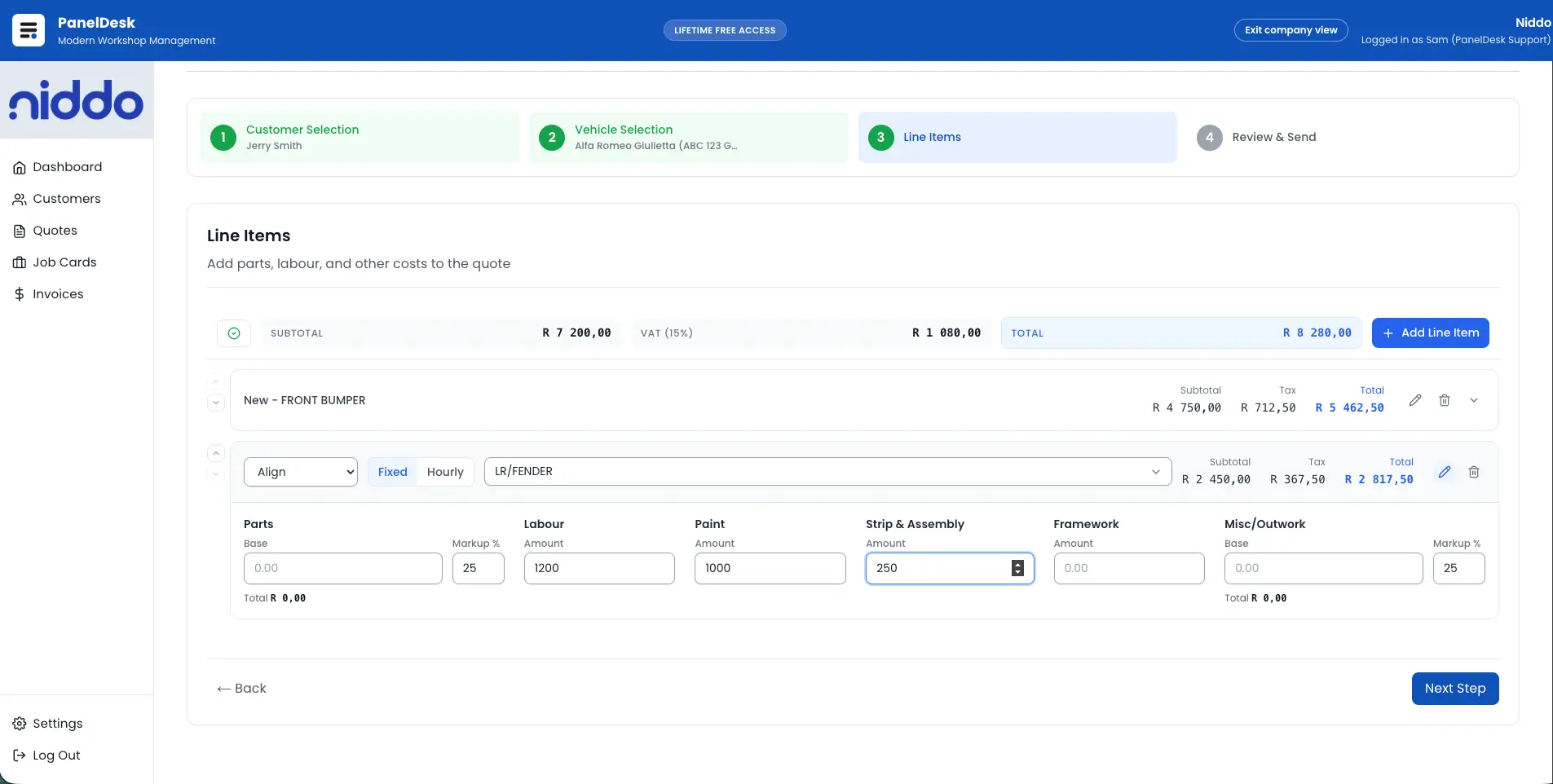
Built for panel work
Line items break down into parts, labour, paint, strip and assembly, framework, and outwork, with markup and VAT handled as you go.
No more chasing blind
See when a quote was opened and how often, so follow-ups land at the right moment instead of guessing.
Approved work starts itself
An accepted quote converts straight into a job card with the scope carried over — nothing retyped, nothing lost.
Send a link, not an attachment
Quotes go out by email or WhatsApp as a secure, token-protected link, with the photos and documents already saved on the job attached when you need them.
- Attach saved vehicle photos and supporting documents to the quote email.
- WhatsApp templates fill in customer, vehicle, and quote details, then open ready to send.
- Resend or reset a secure link at any time.

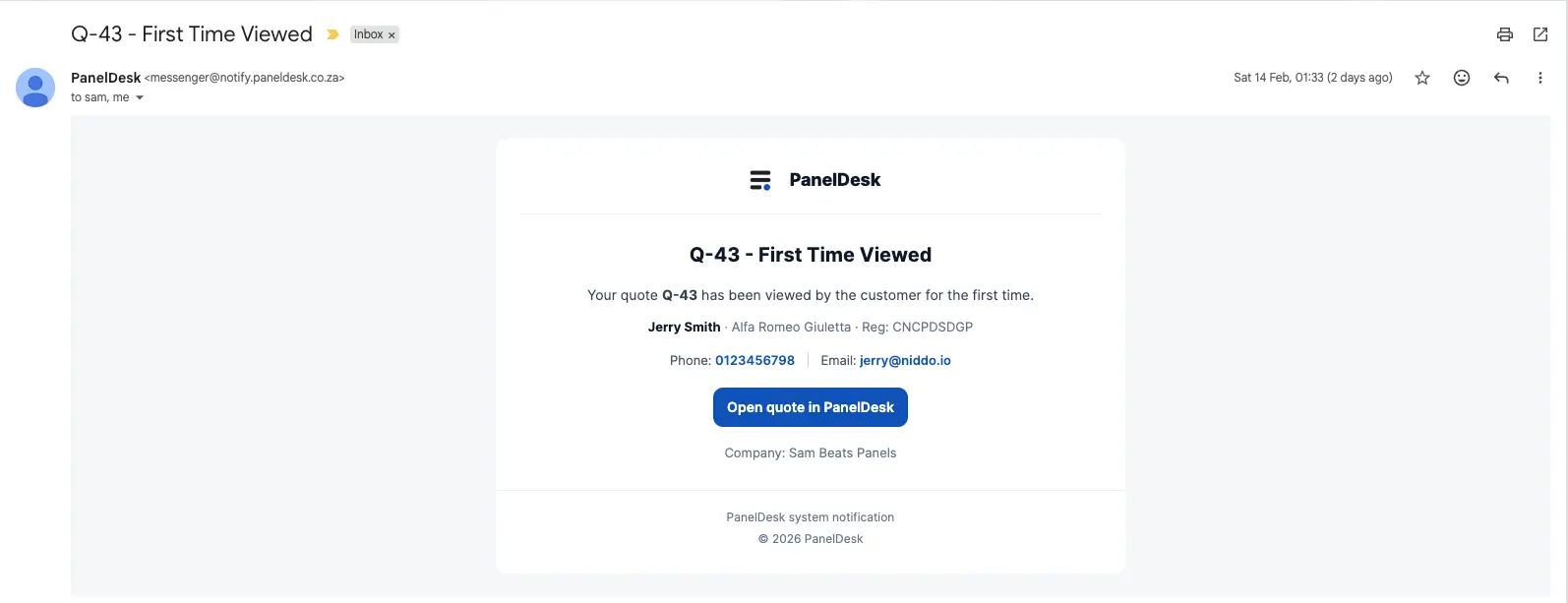
Know when they have looked
Every open is timestamped, so your team follows up with context rather than calling into the dark.
- Get notified when a quote is opened or viewed.
- See timestamped view events on the quote timeline.
- Keep a clean picture of quotes out versus jobs won.
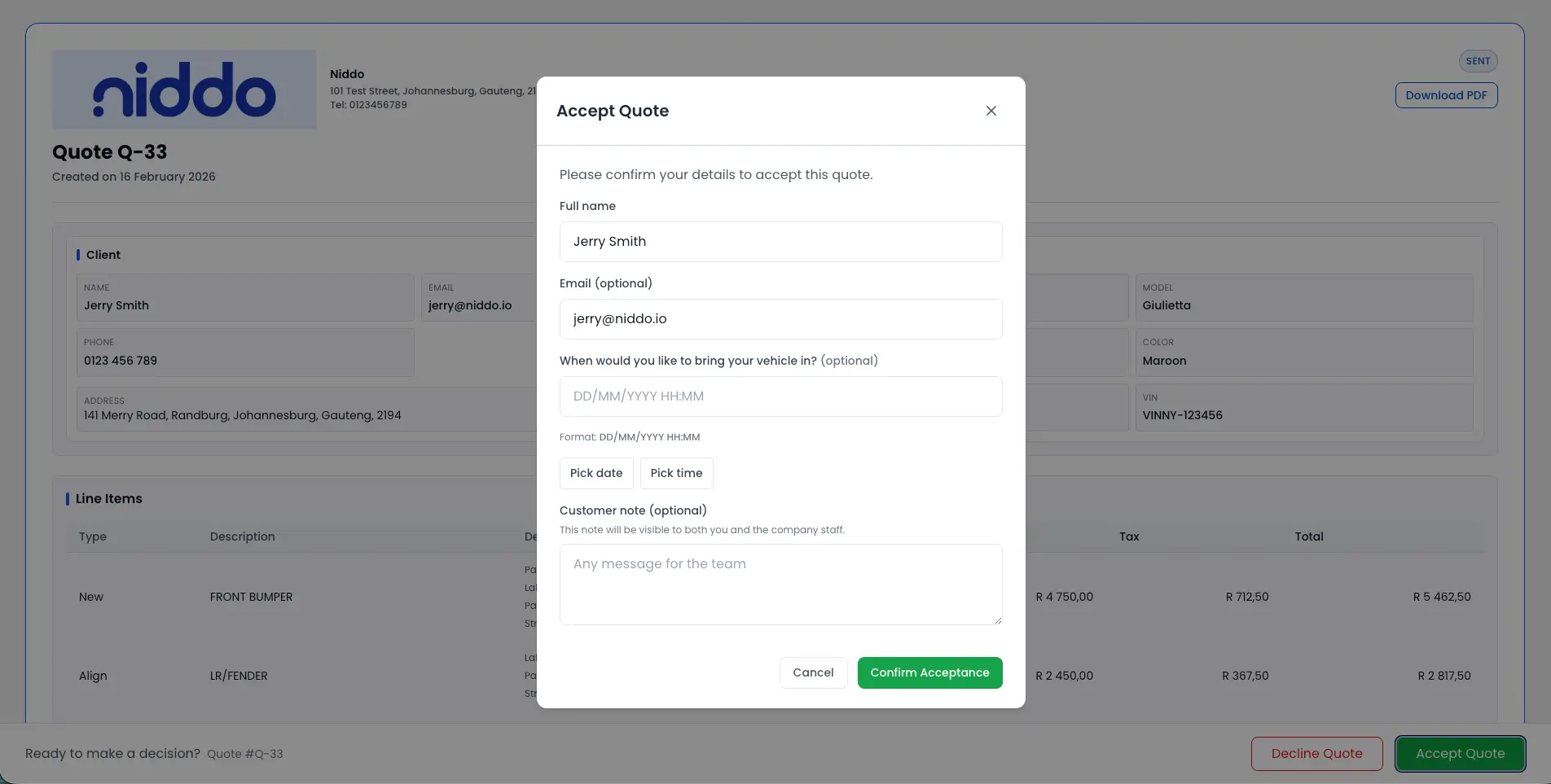
Let the customer decide online
Customers accept or decline from the secure link without an account, and a decline captures the reason so you learn something either way.
- Accept or decline online, no login required.
- Decline reasons captured against the quote.
- Role-based access keeps quote editing with authorised staff.
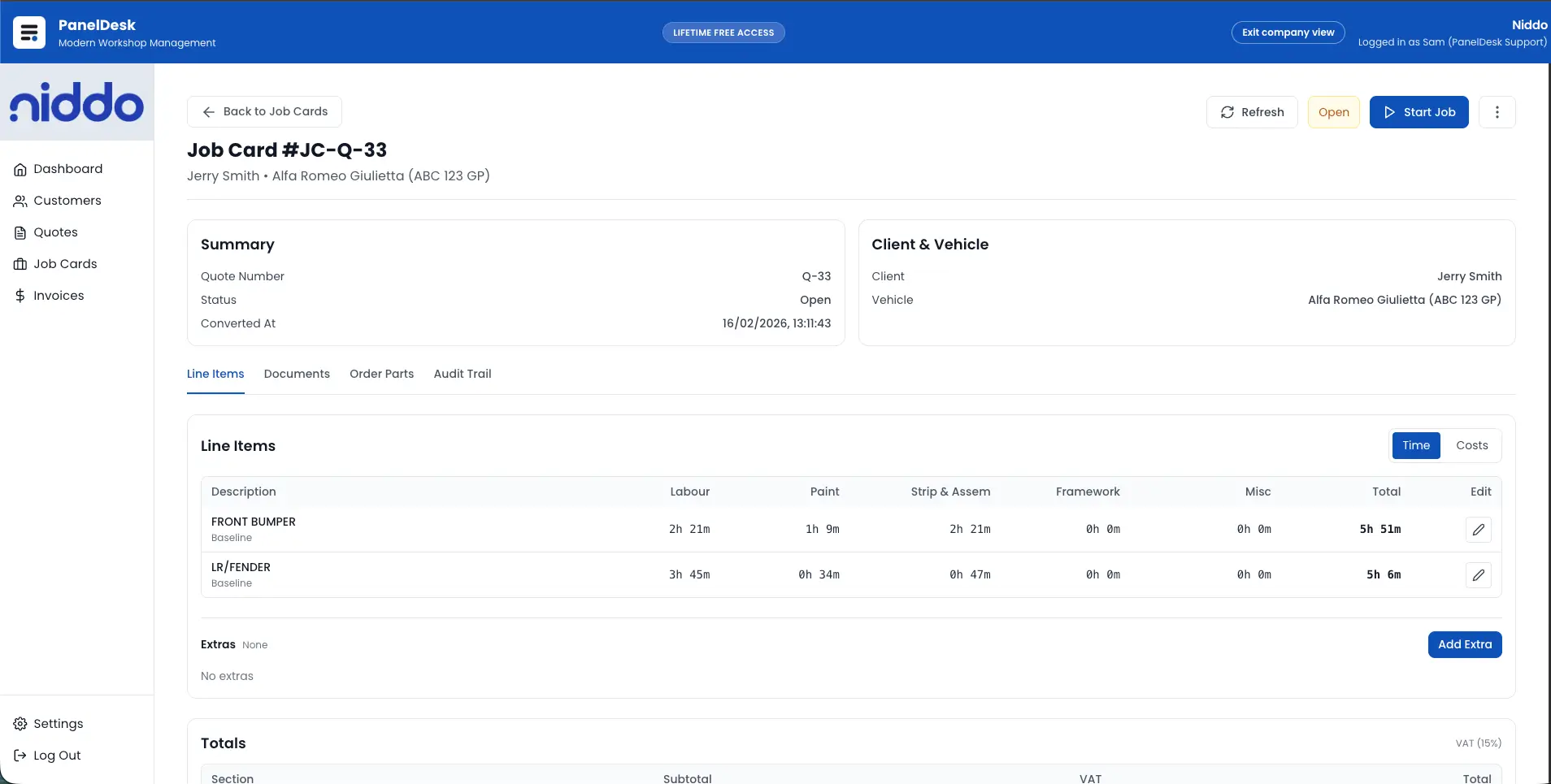
Approved scope becomes the job card
The moment a quote is accepted it converts into a live job card, carrying the approved scope, documents, and totals forward.
- Convert accepted quotes into job cards without retyping.
- Approved scope, linked documents, and totals carry across.
- Final costing and invoicing run on from the same job.
How it runs
From first estimate to approved job scope
Build and save
A structured quote with autosave, custom fields, customer and vehicle links, and a complete value breakdown.
Send securely
Email or WhatsApp a tokenised link, with saved supporting files attached, plus resend and link-reset control.
Track and convert
Watch timestamped views, capture the customer decision, and convert accepted work into a job card.
Document and hand off
Branded quote PDFs, an auditable activity trail, and approved scope pushed into job card and invoicing.
In detail
Panel Beating Quoting Software capabilities
Building the quote
- Create quotes with structured line items for labour, parts, and extras.
- Break each line into parts, labour, paint, strip and assembly, framework, and misc or outwork.
- Add descriptions per line item with clear quote totals and VAT handling.
- Autosave while editing so work is never lost.
Quote records and status
- Add custom reference fields such as purchase order numbers.
- Attach photos and include assessor or insurance fields on the quote.
- Link every quote to a customer profile and vehicle record, with full history.
- Manage quote statuses: draft, sent, viewed, accepted, declined, and converted.
- List, search, and filter quotes across the workshop.
Sending to the customer
- Send quotes to customers directly from the system by email.
- Choose saved vehicle photos and documents to attach to the quote email.
- Share secure public quote links using token validation.
- Share quotes over WhatsApp with reusable message templates.
- Resend or reset secure links when required.
- Generate branded quote PDFs for customers and insurers.
Tracking and customer response
- Track created, edited, and sent activity with timestamps.
- Get notified when a quote is opened or viewed.
- Capture timestamped quote view events for follow-up timing.
- Let customers accept quotes online from secure public links.
- Let customers decline online with captured decline reasons.
- Get notified when a quote is accepted or declined.
Permissions and job handover
- Restrict quote creation, editing, and sending with role-based access control.
- Convert accepted quotes into job cards automatically.
- Carry approved quote details through to job cards without retyping.
- Handle final costings and invoice generation from the job card.
Walkthrough
See it in action
FAQ
Panel Beating Quoting Software FAQs
The questions panel shops ask most often about this part of PanelDesk.
PanelDesk combines fast quote creation, secure customer links, view tracking, online acceptance, and instant quote-to-job-card conversion in one workflow.
Yes. You can add custom reference fields such as purchase order numbers and other quote-specific business fields your workshop needs.
Yes. Customers can use secure token-protected links to accept or decline online, and your team can capture decline reasons and approved states.
Yes. When sending a quote from PanelDesk, you can choose photos and supporting documents that are already saved in the system and include them in the email.
Yes. PanelDesk tracks opened and viewed events with timestamps so your team can follow up at the right time.
Yes. Accepted quotes convert directly into job cards with approved scope carried over, reducing admin effort and errors.
Yes. You can generate branded quote PDFs for customers, insurers, and internal documentation.
Yes. Reusable WhatsApp message templates fill in customer, vehicle, and quote details plus the secure link, then WhatsApp opens with the message pre-filled and ready to send. You can also copy the message to use anywhere else.
Next in the workflow
Quote your next job in PanelDesk
Thirty days free, no credit card, and your first quote out the door in minutes.