
Workshop staff clock-in and timesheets so you know who clocked in, and for how long.
Staff tap their own tag on a shared tablet at the workshop door, the office sees timesheets by day, week, or month, and month-end payroll starts from an attendance PDF instead of a paper register.
No credit card needed to start. Cancel any time.
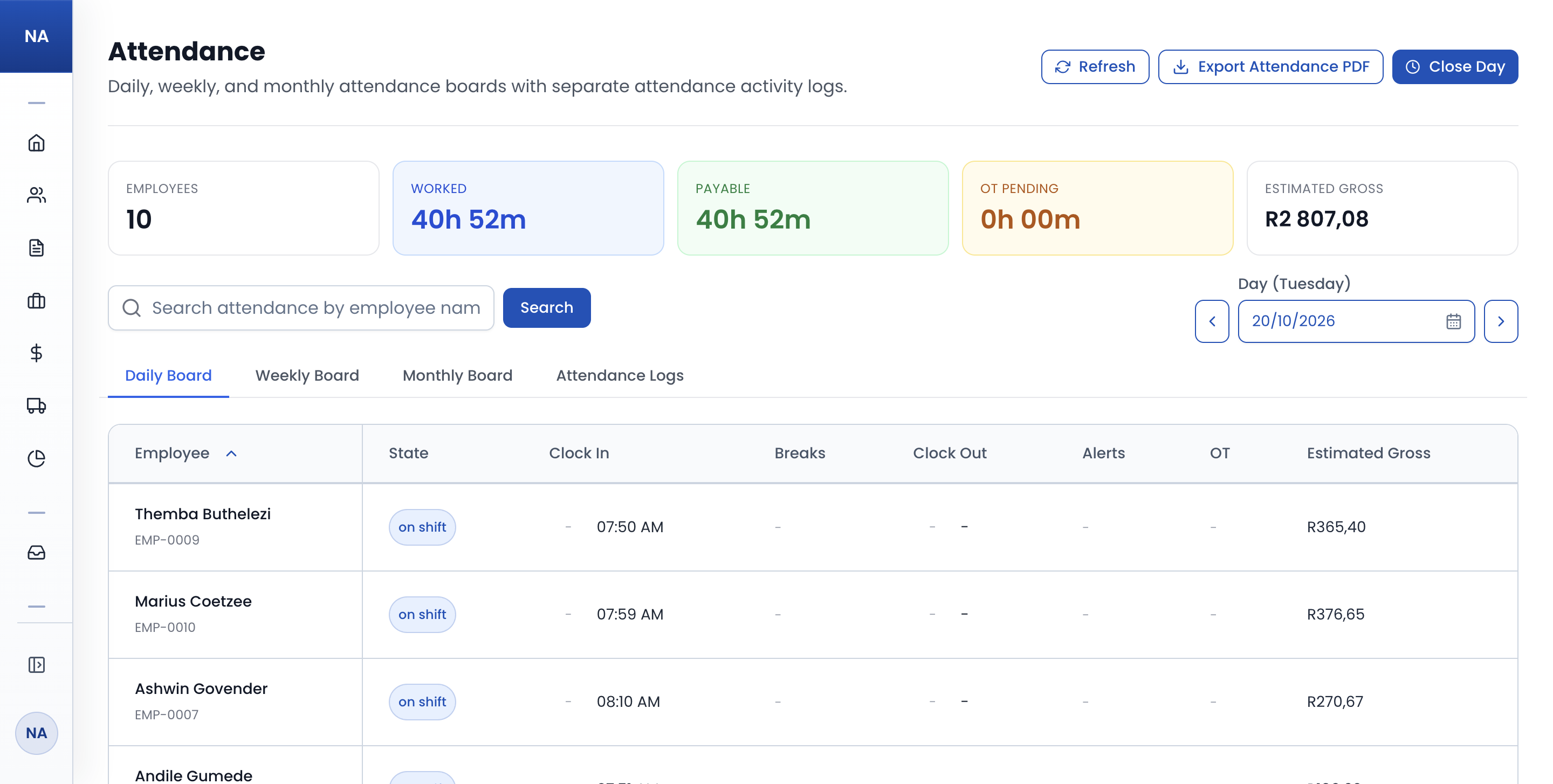
The register keeps itself
Every clock event is timestamped against the employee, so attendance history builds itself instead of being written up at month end.
Nobody on the floor needs a login
One shared tablet or phone at the entrance runs the kiosk, and each person clocks in by tapping their own NFC tag.
Payroll without the capture
Hours per employee are totalled for you and overtime is flagged automatically, so month end is a PDF rather than an evening of typing.
Clock in and out without paper
Staff clock on and off with accurate timestamps, and every event lands against the employee record instead of a register on a clipboard.
- Accurate timestamps instead of a paper register or spreadsheet.
- See who is currently clocked in at a glance.
- No chasing signatures or deciphering handwriting at month end.
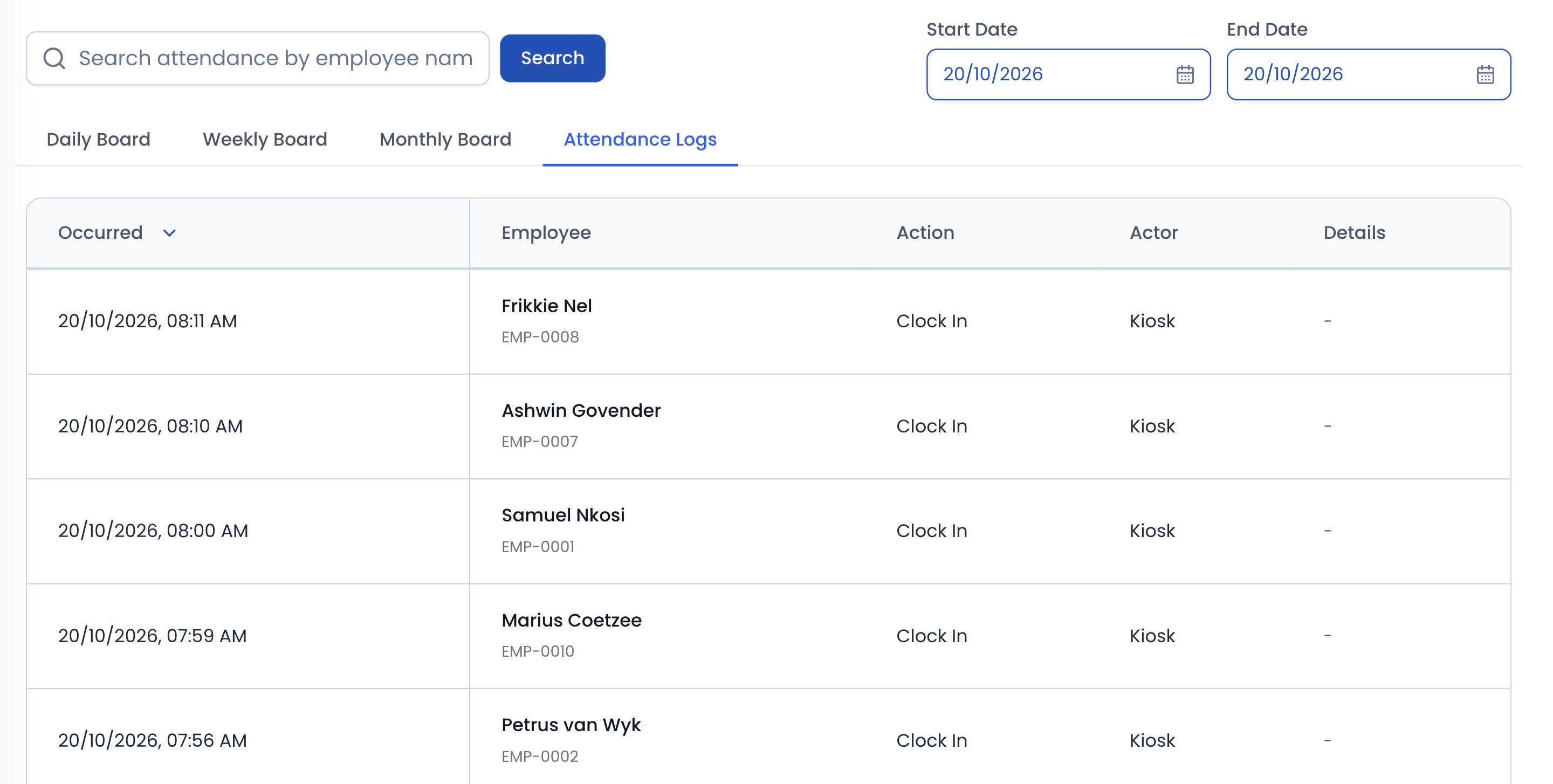
One shared device at the door
A tablet or phone at the workshop entrance becomes the clock-in point, and it shows only what you switch on: clocking in and out, booking onto jobs, and registering new tags.
- Floor staff need no logins, computers, or email addresses.
- Staff tap their own NFC tag to clock in and out in seconds.
- Reads tags with NFC on Android, or a USB or Bluetooth reader.
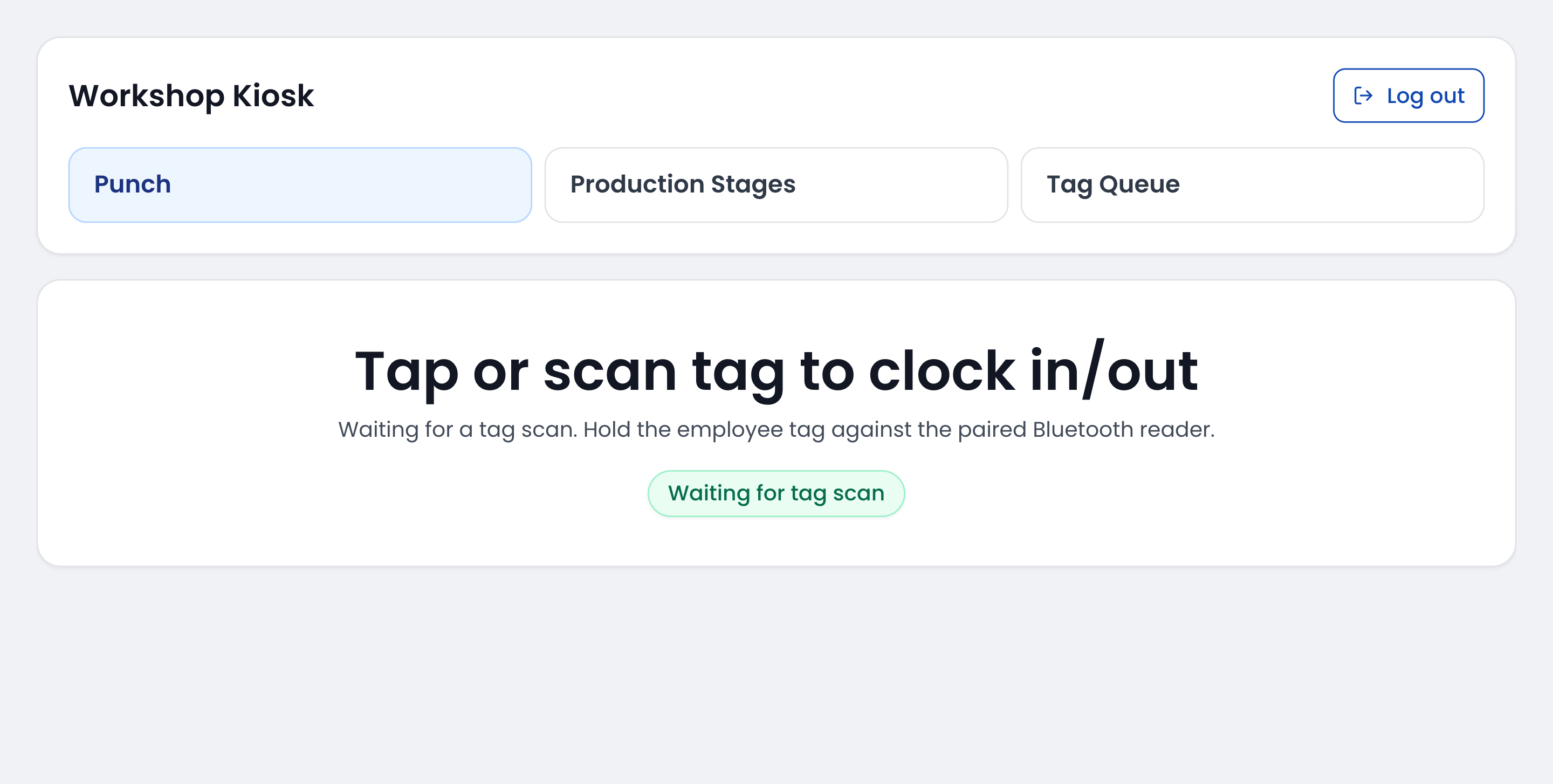
Timesheets that add themselves up
Switch between daily, weekly, and monthly views to see hours per employee with the totals already calculated.
- Day, week, and month timesheet views per employee.
- Spot missed clock-outs, late arrivals, and overdue breaks before payday.
- Keep a permanent attendance record you can refer back to.
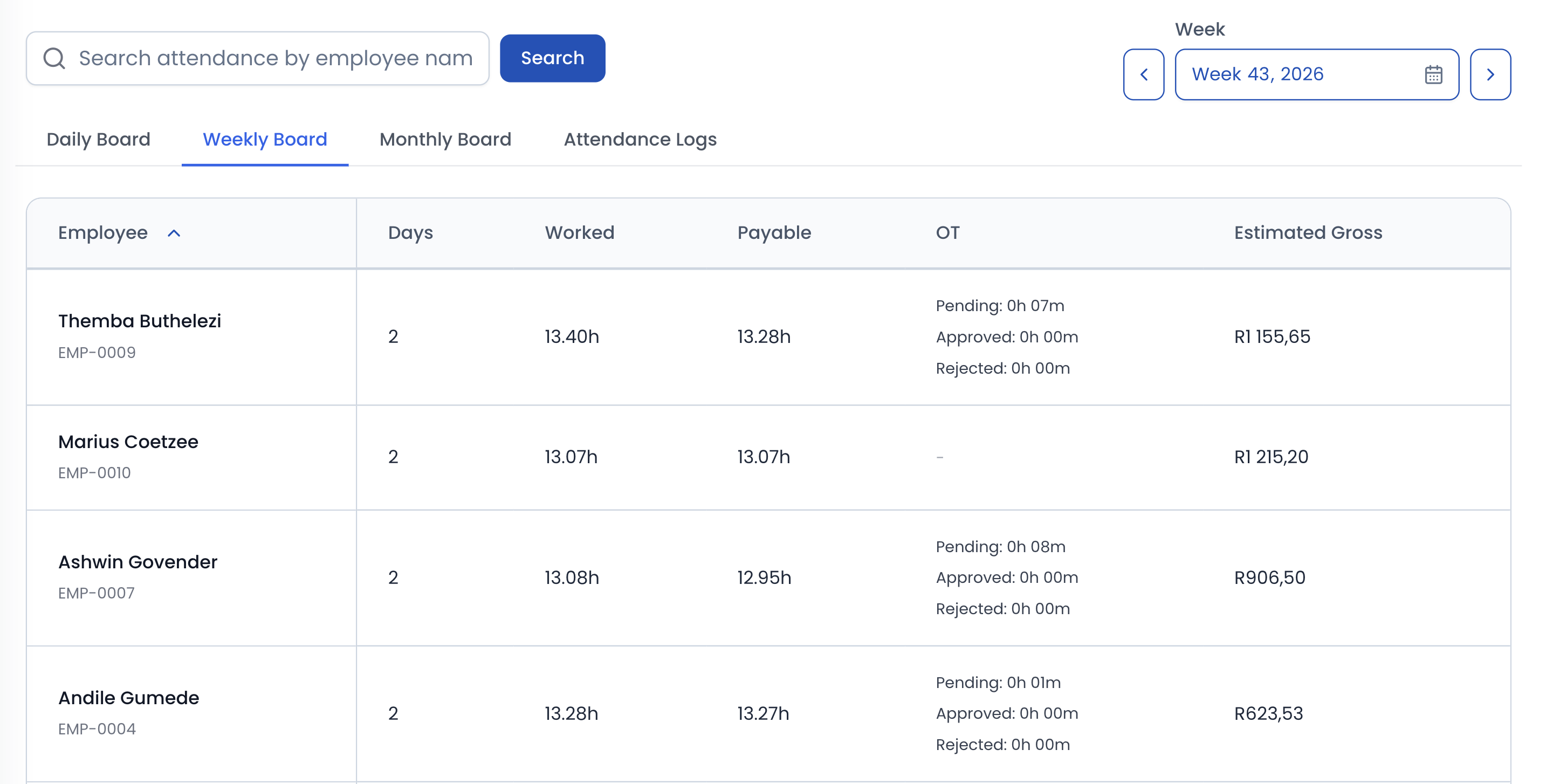
Payroll starts from an export
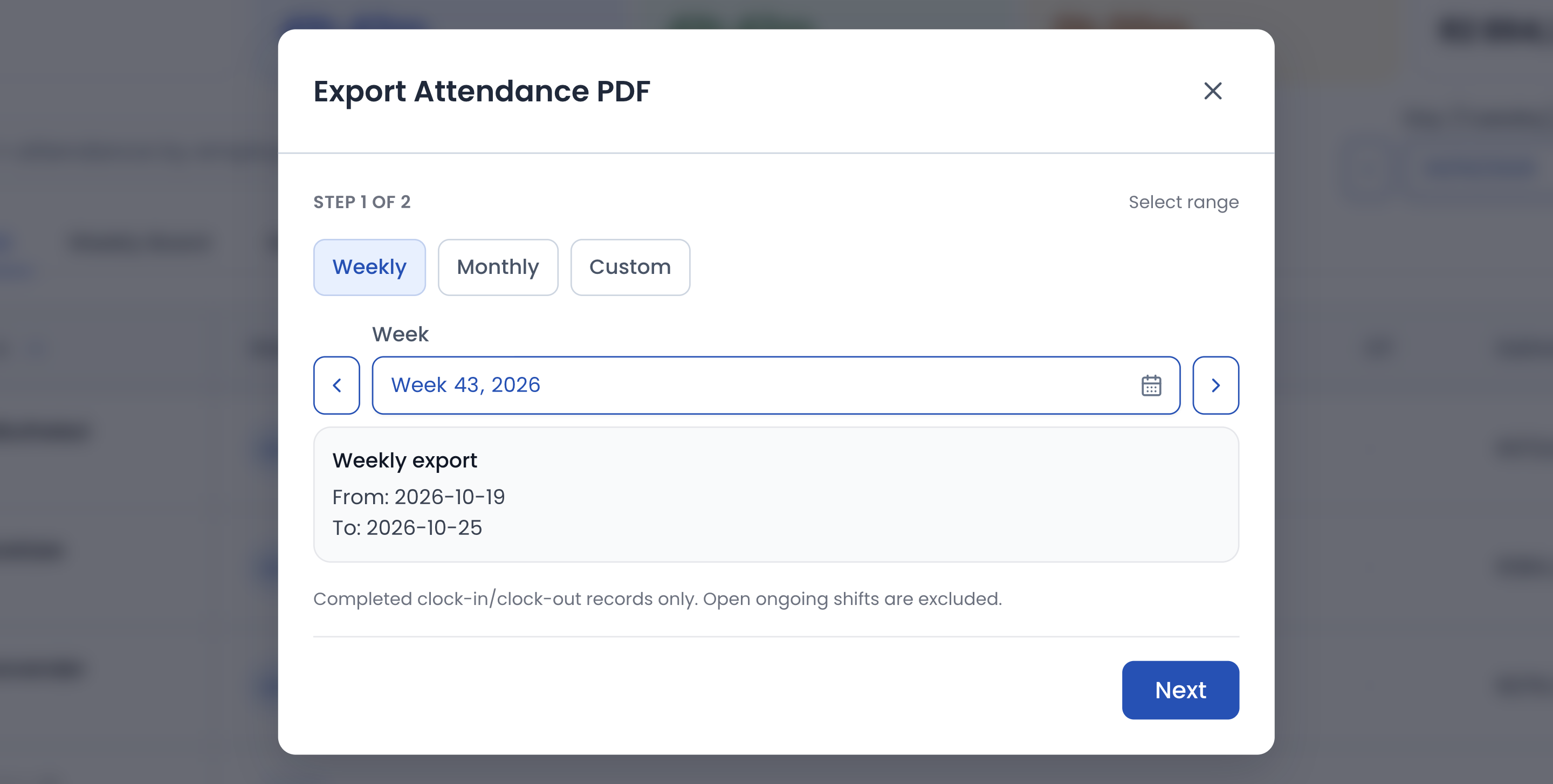
Export an attendance PDF for a week, a month, or any dates you pick, with each person's hours, approved overtime, and estimated gross pay, ready for whoever runs payroll.
- Weekly, monthly, or custom-range attendance PDFs.
- Overtime flagged automatically against your rules.
- Timestamped evidence for every shift when a query comes up.
How it runs
How time and attendance runs day to day
Set up staff and time rules
Add your employees, set break and shift rules, give each person an NFC tag, and sign a shared tablet or phone in as the kiosk at the door.
Staff clock in at the kiosk
Staff tap their tag on the shared device to clock in, take breaks, and clock out.
Review timesheets by period
Check daily, weekly, or monthly timesheets, with overtime flagged automatically and gaps easy to spot.
Export for payroll
Export the attendance PDF at month end and run payroll from accurate, timestamped attendance records.
In detail
Workshop staff clock-in and timesheet capabilities
Staff and shift setup
- Add your employees once and manage their attendance from the same place.
- Configure break and shift rules to match how your workshop actually runs.
- Load South Africa's public holidays for the year in one click.
- Role-based permissions control who can view and edit attendance data.
- Time and attendance lives in the same system as your jobs, not a separate app.
Kiosk at the door
- Run a dedicated kiosk on a shared tablet or phone at the workshop entrance.
- Floor staff do not need their own logins, computers, or email addresses.
- Staff tap their own NFC tag to clock in and out in seconds.
- The kiosk shows only clocking, booking onto jobs, and tag setup, never your quotes, invoices, or customers.
- Tags are read with NFC on an Android phone or tablet, or with a USB or Bluetooth reader.
- No kiosk? A manager can record the days worked by hand instead.
Clocking in and out
- Staff clock in and out with accurate timestamps instead of a paper register or spreadsheet.
- Every clock event is recorded against the employee for a clean attendance history.
- See who is currently clocked in at a glance.
- No more chasing signatures or deciphering handwriting at month end.
Timesheets and attendance records
- Switch between daily, weekly, and monthly timesheet views.
- See hours per employee with totals calculated for you.
- See attendance totals per employee with day, week, and month period switching.
- Spot missed clock-outs, late arrivals, and overdue breaks before payday, not after.
- Keep a permanent attendance record you can refer back to.
- Attendance records and reporting give you evidence when questions come up.
Month-end payroll export
- Export an attendance PDF for a week, a month, or a custom range, with hours, overtime, and estimated gross pay per employee.
- Overtime is flagged automatically against your working-time rules.
- Approve or reject overtime before it counts towards pay.
- Reduce payroll disputes with timestamped evidence for every shift.
- Cut hours of manual timesheet capture out of your admin month.
- Keep attendance accurate, visible, and ready to export without separate time-tracking apps.
FAQ
Workshop Staff Clock-In & Timesheet FAQs
The questions panel shops ask most often about this part of PanelDesk.
No. Staff clock in and out by tapping their own NFC tag on a shared kiosk device, such as a tablet or phone at the workshop entrance. Only office and management users need their own PanelDesk logins, and the kiosk's login doesn't use a paid seat.
Yes, a little. Each employee taps their own NFC tag, so you need the tags and something to read them: an Android phone or tablet with NFC, using Chrome, or a USB or Bluetooth tag reader, which is what the PanelDesk Kiosk app for Android uses. The kiosk device needs a working camera too. No kiosk? A manager can record the days worked by hand instead.
Yes. Hours are tracked against your working-time rules and overtime is flagged automatically, so you can review it before payroll instead of discovering it after.
Yes, as a PDF. Pick a week, a month, or your own dates, and PanelDesk builds an attendance report with each person's worked and payable hours, approved overtime, and estimated gross pay from timestamped clock events. Tax and deductions stay with your payroll.
No. A kiosk only offers what you switch on for it: clocking in and out, booking onto jobs by their work code, and registering new tags. Quotes, job cards, invoices, and customer records stay behind role-based staff logins.
The Workforce plan, which adds staff clock-in, job tracking by employee, and labour insights to everything in Operations. NFC tags, tag readers, and tablets are bought separately.
Next in the workflow
Retire the paper attendance register
Thirty days free, no credit card, and clock-in running on a shared device once your team has its tags.