
Panel beating job card software that runs the whole job off one card.
Statuses, line items, extras, checklists, parts orders, documents, and a full audit trail on every repair, so your workshop works off one record instead of scattered messages and paper notes.
No credit card needed to start. Cancel any time.
Nothing gets recaptured
An accepted quote converts straight into a job card, with approved scope plus the customer and vehicle records already linked.
You can see where work sticks
Status transitions from open to closed show which jobs are moving and which are sitting, before a customer phones to ask.
Invoice-ready without digging
Extras, WIP context, and job history stay on the record, so final costing and invoicing happen without retyping anything.
Approved scope opens the job
Convert an accepted quote into a job card and the team starts from the right baseline, with customer and vehicle context already in place.
- Convert accepted quotes into job cards with no re-capturing.
- Every job card links to both a customer and a vehicle record.
- Work starts from approved quote scope, not a rewritten version of it.
Know which jobs are moving
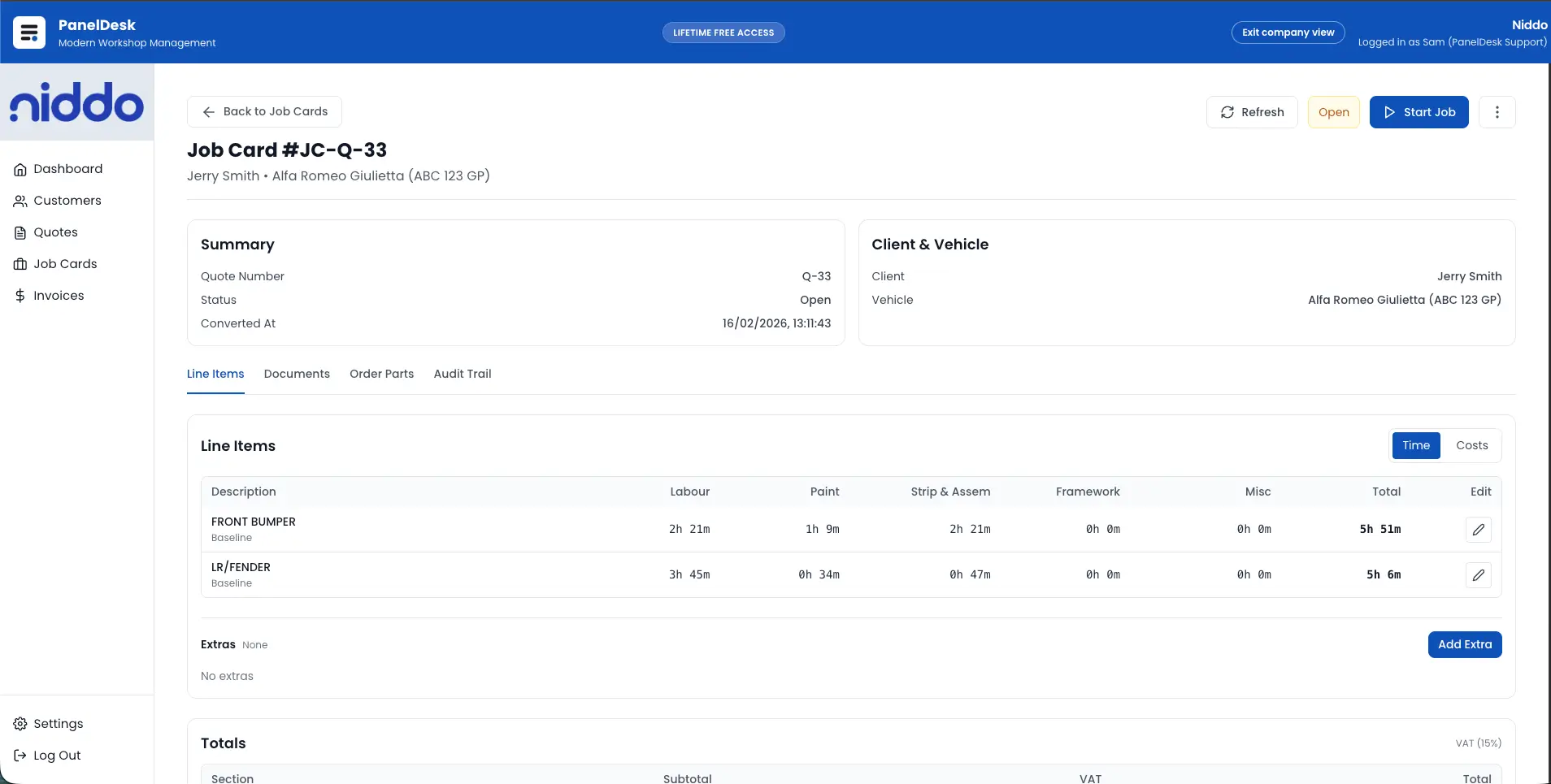
Statuses run from Open through to Closed, and every job carries a promised client-ready date alongside an internal workshop target.
- Open, In Progress, Paused, Completed, Invoiced, and Closed.
- Promised and target dates calculated in business days.
- Colour-coded warnings on job lists as deadlines approach.
Scope changes stay on the job
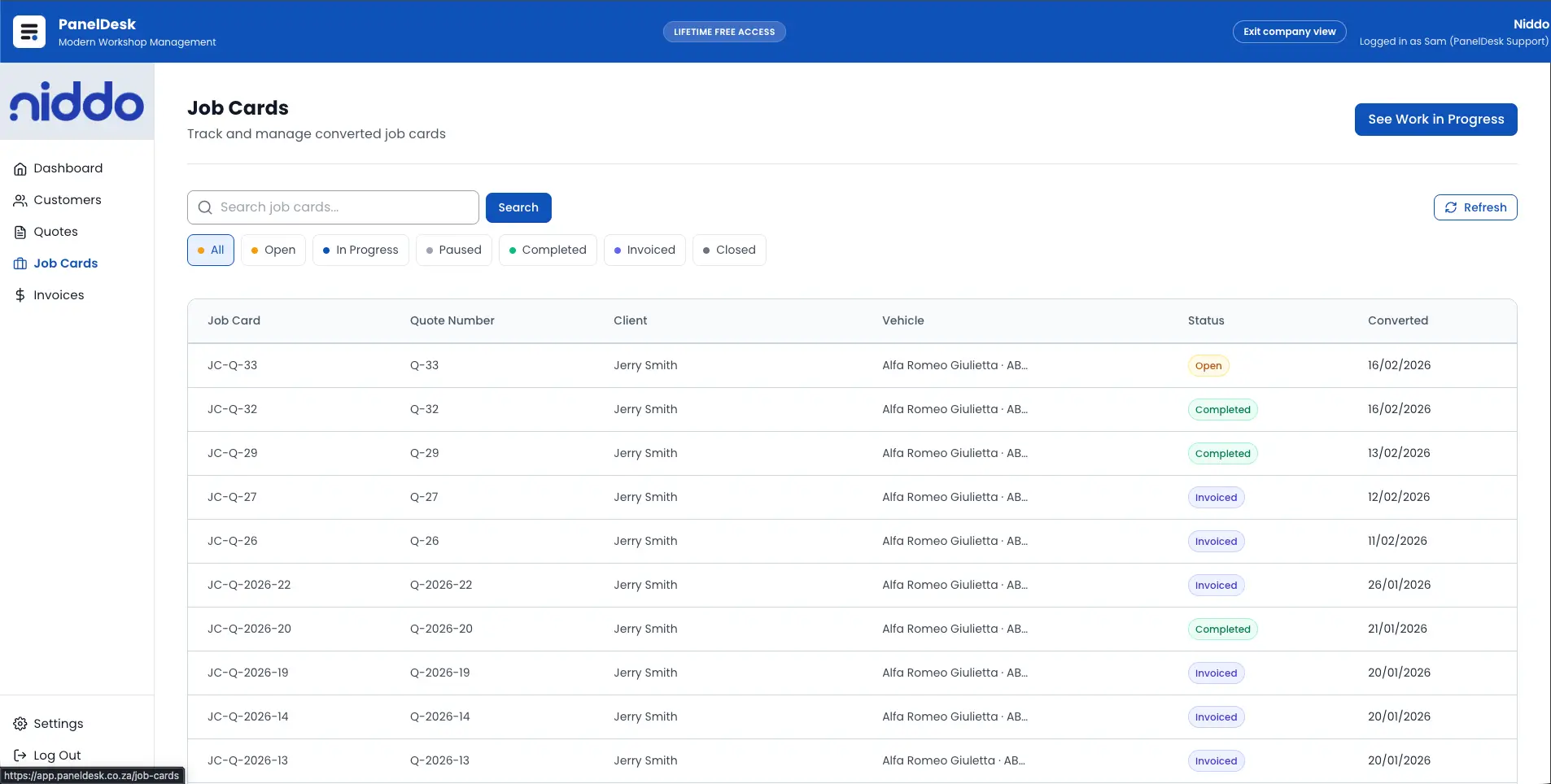
Capture line items as the work is performed and add extras the moment repair scope changes, so costing reflects what the shop actually did.
- Structured line items for labour, parts, and extras.
- Baseline editing keeps the job aligned with real workshop changes.
- Extras tied to the job flow through to costing and invoicing.
One record holds the paperwork
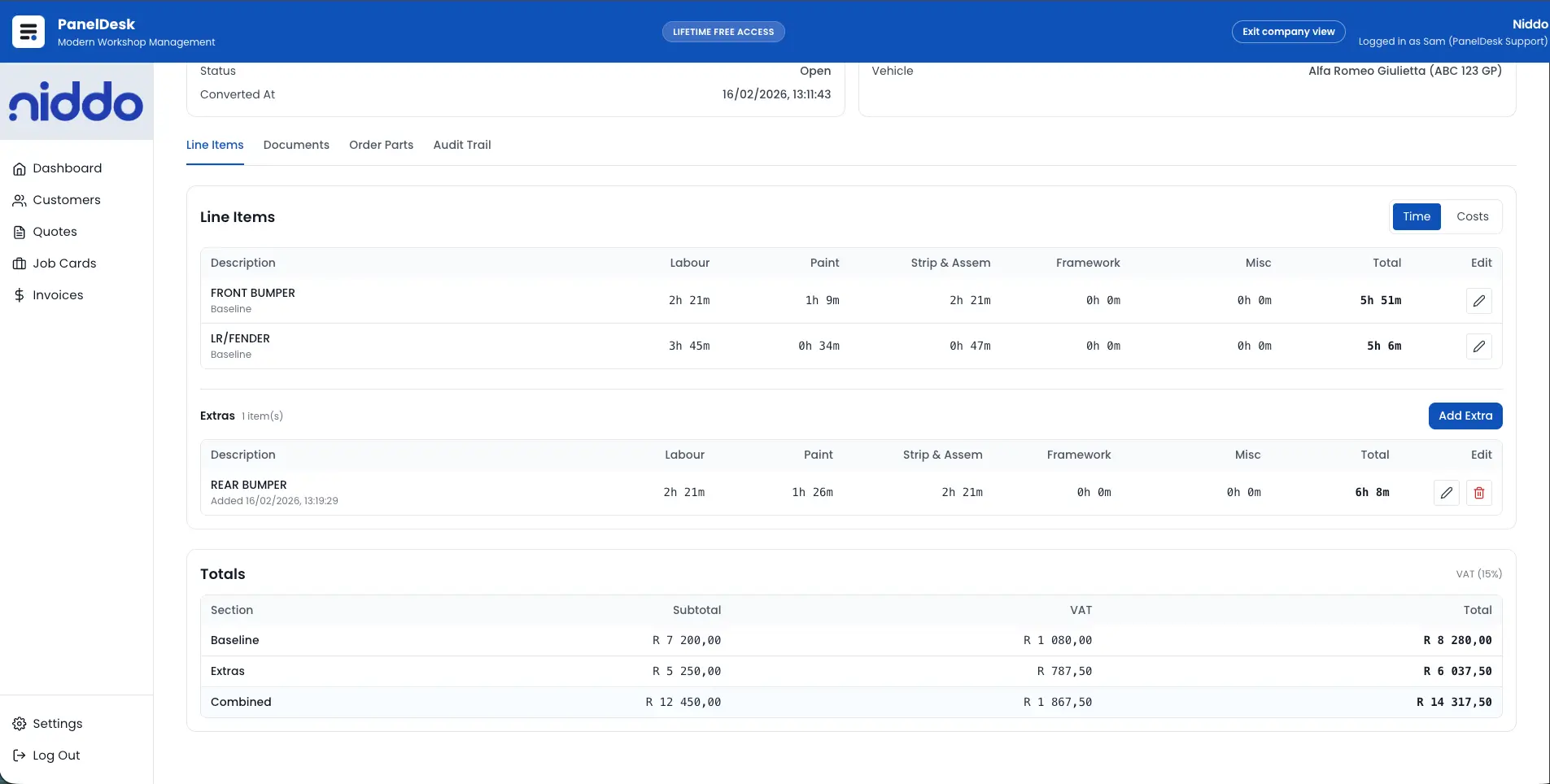
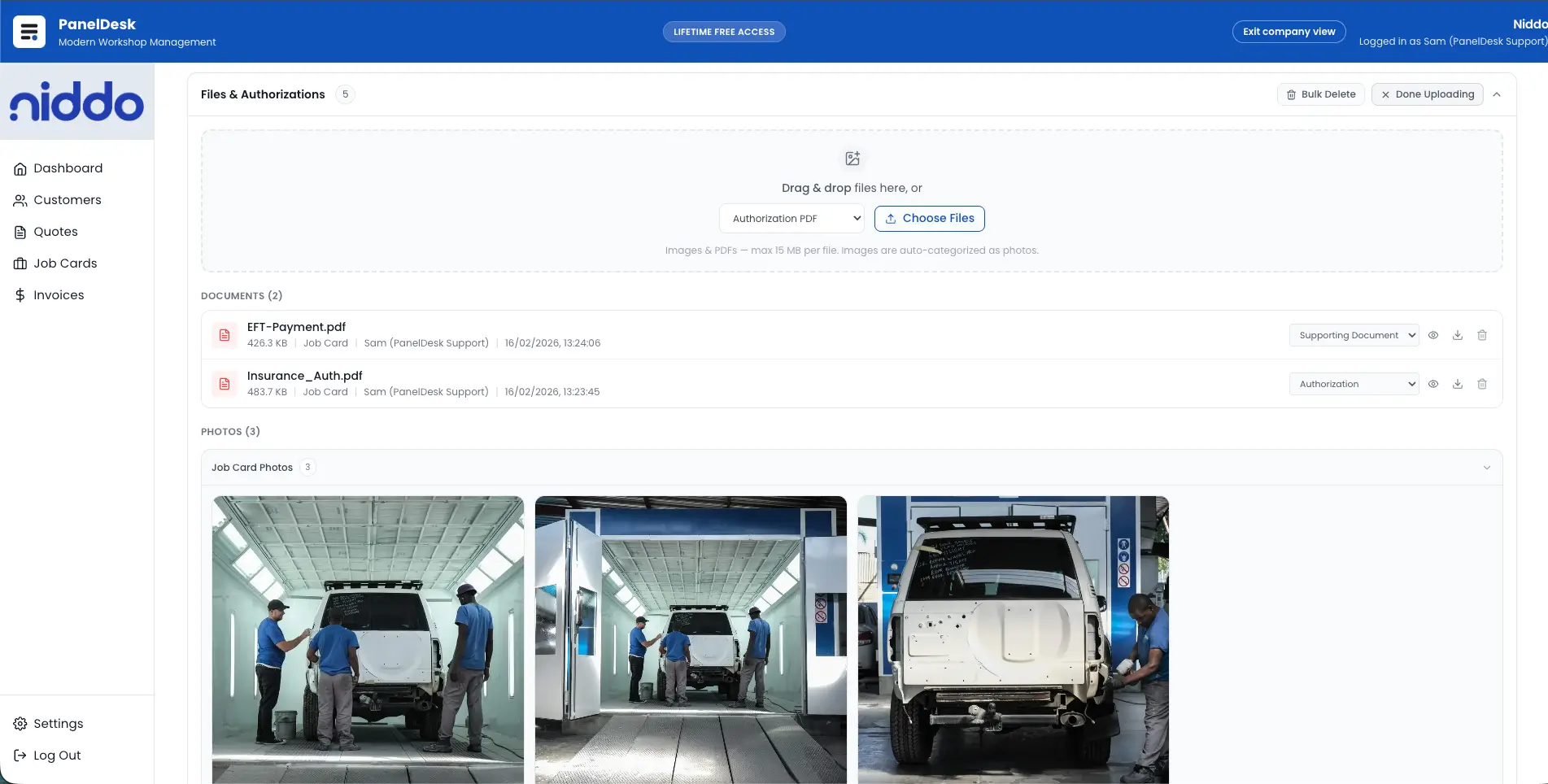
Parts orders, files, photos, and a timeline of what changed all live on the job card, so nobody is hunting through a filing cabinet or a chat thread.
- Parts orders created and tracked against each job card.
- Documents and photos stored in one job documents area.
- An audit trail of key actions and changes for accountability.
How it runs
From approved scope to invoice-ready work
Convert and open the job
Accepted quotes become job cards instantly, with customer and vehicle context already linked.
Control work-in-progress
Run the day through status tracking, WIP views, line items, extras, checklists, and parts orders.
Capture documents and accountability
Keep files, photos, and job events in one record with a complete audit trail behind them.
Move to costing and invoicing
Close out with accurate WIP context and job history so final costing happens without retyping.
In detail
Panel Beating Job Card Software capabilities
Opening the job card
- Convert an accepted quote into a job card with no re-capturing.
- Create and manage job cards linked to both customer and vehicle records.
- Start every job from approved quote scope so teams work from the right baseline.
- Organise job cards into dedicated sections for line items, documents, parts, and audit history.
- Keep operational information structured and easy to find across teams.
Status and deadlines
- Manage statuses across Open, In Progress, Paused, Completed, Invoiced, and Closed.
- Track status transitions to identify where work is getting stuck.
- Keep a clear pipeline view of active jobs versus completed and closed jobs.
- Set a promised client-ready date and an internal workshop target per job, calculated in business days.
- Get colour-coded warnings on job lists as deadlines approach.
Work in progress
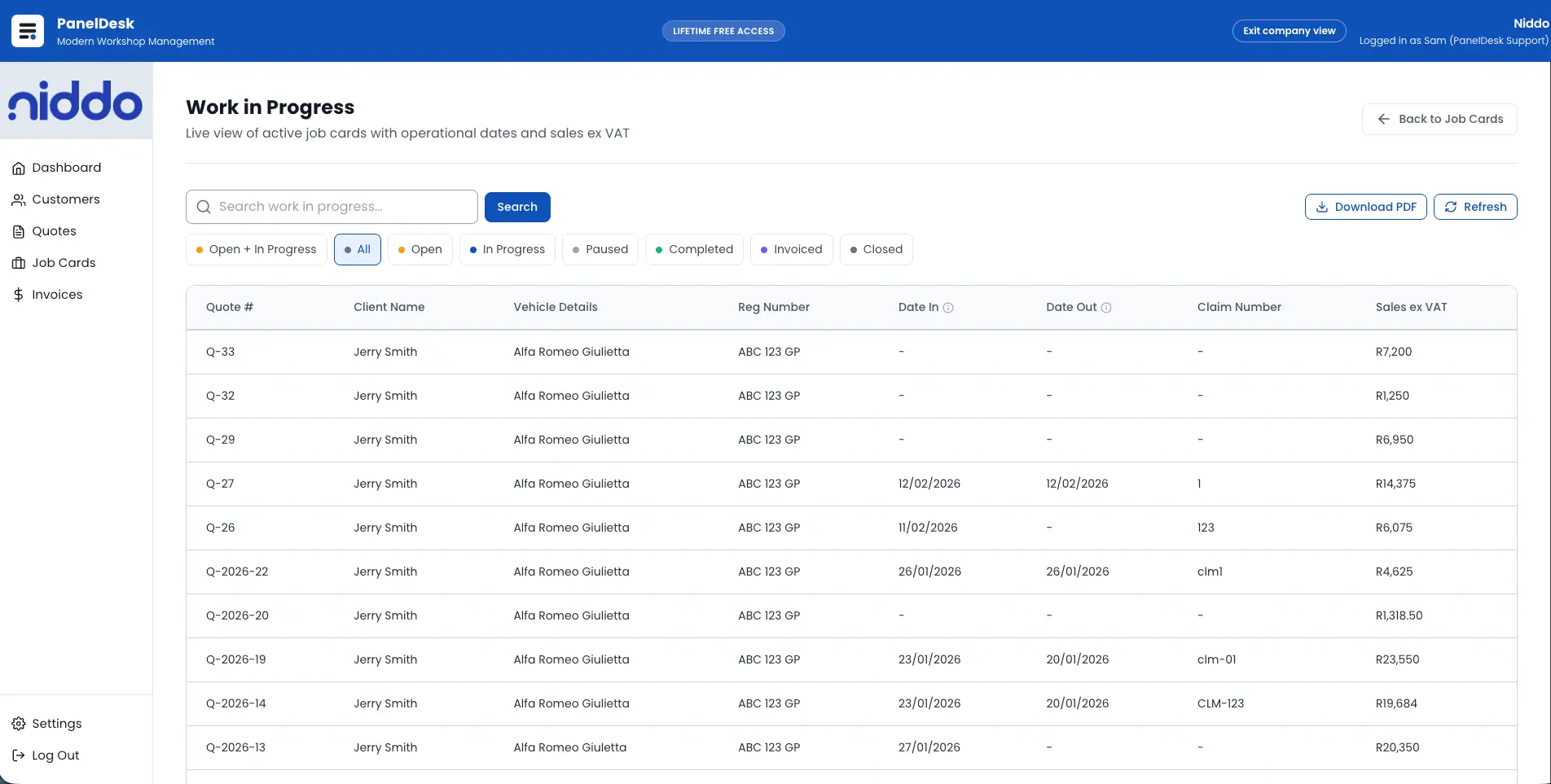
- Use a dedicated work-in-progress view so staff can assess current job state quickly.
- Keep WIP summaries aligned to current line items, extras, and key job details.
- Store WIP context inside the job card instead of across messages and paper notes.
- Generate a branded work-in-progress PDF directly from the job card.
- Share status clearly for internal reporting and job documentation.
Line items and extras
- Capture structured line items for labour, parts, and extras as work is performed.
- Use baseline editing to keep jobs aligned with real-world workshop changes.
- Keep updates linked to the job card so nothing is lost between teams.
- Add extras directly on the job card whenever repair scope changes.
- Keep extras tied to each job so final costing and invoicing reflect real work completed.
Checklists and documents
- Use check-in lists to capture arrival condition checkpoints and items received.
- Use check-out lists to confirm handover readiness and reduce disputes.
- Store both checklists as part of the job record instead of paper sheets.
- Upload and manage job-related files directly on each job card.
- Store documents and photos in one job documents area so staff can find everything fast.
- Use a structured upload and finalise workflow for reliable file storage.
Parts and audit trail
- Create and manage parts orders linked directly to the job card.
- Track parts-related information per job to reduce delays and missed items.
- Keep parts context inside the job card so teams are not guessing.
- Capture an audit trail of key actions and job changes.
- Improve accountability across team members with a clear history.
- Resolve customer or insurer disputes faster with timeline-backed records.
Walkthrough
See it in action
FAQ
Panel Beating Job Cards Software FAQs
The questions panel shops ask most often about this part of PanelDesk.
A job card system that tracks each repair job from start to finish, including status, work items, documents, parts, and full job history.
A job card system is the digital version of the paper job card: one record per repair that carries the work items, status, parts, documents, and history. In PanelDesk the job card is created from the accepted quote and flows through to final costing and the invoice.
PanelDesk is built for panel beating, but the job card workflow itself — statuses, line items, parts orders, documents, checklists, and audit trail — is standard workshop functionality. The panel-shop extras, like insurer final costing and clearance paperwork, are built around that core.
Yes. Accepted quotes can be converted into job cards so the job starts from approved scope without retyping.
Open, In Progress, Paused, Completed, Invoiced, and Closed.
Yes. Job cards include a documents and files area so everything related to the job is stored in one place.
Yes. Parts orders can be managed and tracked per job card.
Yes. Job cards include an audit trail of key changes and actions for accountability.
Yes. Job cards support a branded work-in-progress PDF.
Yes. Each job card can carry a promised client-ready date and an internal workshop target date, with business-day calculations and colour-coded overdue warnings on job lists and the production board.
Next in the workflow
Put your next repair on a PanelDesk job card
Thirty days free, no credit card, and every job on one record from the first day.